
Troubleshooting
The messages you may see in Manas and in Slack, what they mean and what to do.
Find the message you see, or the closest problem, and follow the steps. If nothing here helps, see Still stuck at the end.
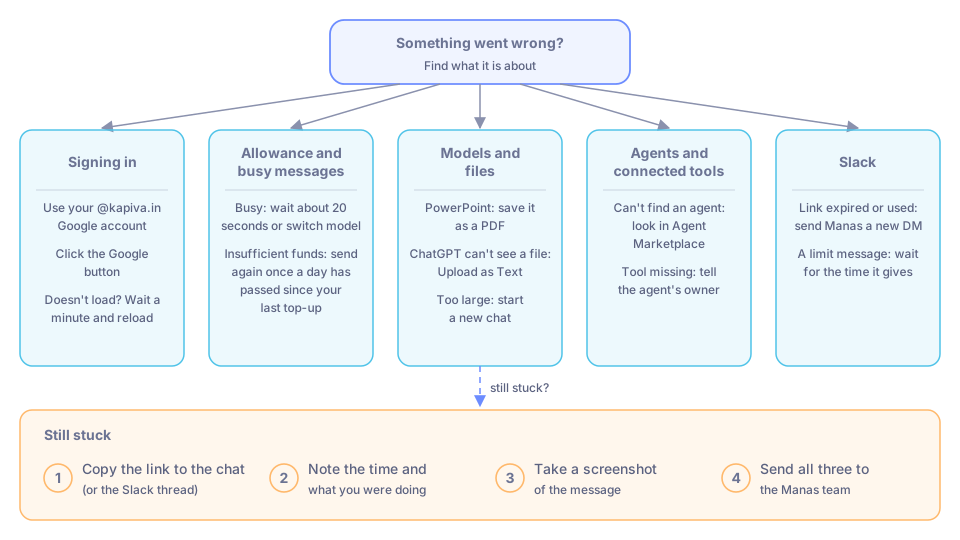
Something went wrong? Start here, then find the exact message below.
Signing in
Your Google account is refused
Only @kapiva.in accounts can sign in. Sign out of Google, then sign in to Manas with your @kapiva.in account.
"Email login is not allowed."
Manas has no email and password sign-in. Click the Google button.
Manas doesn't load for a minute
Manas is probably being updated. Wait a minute and reload the page.
Allowance and busy messages
"Insufficient funds. Balance: … Prompt tokens: … Cost: …"
You have used your allowance for now. Once a day has passed since your last top-up, send the message again; the top-up is added when you send. A new chat or a lighter model uses less. See Your daily allowance.
"Claude is busy right now (all 20 slots are in use). Please try again in about 20 seconds, or switch to another model from the model picker."
Claude is shared by everyone at Kapiva, and up to 20 answers can be written at once. When all are in use, your message waits up to 15 seconds before this message appears. Wait about 20 seconds and send again, or pick another model. ChatGPT shows the same message.
A "usage limit" message from ChatGPT
The shared ChatGPT account has used its weekly allowance. Use Claude or Gemini until it resets.
See Usage limits for all limits.
Models and files
"ChatGPT Images works only in a chat with the ChatGPT model…"
You switched on ChatGPT Images in a Claude or Gemini chat. Pick a ChatGPT model and ask again. See Images.
"The ChatGPT seat has reached its image generation limit. It resets…"
The shared account has made all the images it can for now. Try again after the time it gives.
ChatGPT says a document was omitted, or can't see your PDF
ChatGPT can't read files sent as they are. Attach the file again and choose Upload as Text, or ask Claude. See Attach files.
"This request exceeds the bridge's 48MB limit…"
The files in this chat add up to too much. Start a new chat, or turn off Resend Files in the conversation settings. If you only sent text, make it shorter.
Every message in a chat fails after you attached a PDF
Claude refused the PDF (too many pages, password-protected or too dense). Start a new chat, or attach it again with Upload as Text.
A scanned PDF comes back empty or as nonsense
It was sent as text, and a scan has no text in it. Attach it again with the option for the model itself, using Claude.
A PowerPoint file fails
Save it as a PDF and attach the PDF.
"There was an error running the code"
Send the request again. If it keeps happening, describe the task a different way or split it into smaller steps. See Run code.
"Error downloading file. The file may have been deleted."
Ask it to run the code again to make the file again.
The model says it can't search the web
Web search is off in this chat. Switch it on in the tools menu under the message box and ask again. See Web search.
Manas asks you for a Firecrawl API key
Don't enter one. Close the box and tell the Manas team: web search needs fixing on our side.
Agents and connected tools
You can't find an agent someone mentioned
It hasn't been shared with you yet. Look in Agent Marketplace, then ask its owner or the Manas team.
You can't see the web search or Run Code switch
You are in an agent chat. Agents use the tools their owner set up. Start a normal chat with a model, or ask the agent's owner.
An agent says a tool is missing or not working
Tell the agent's owner; only the owner can change its tools.
Kala says RATE_LIMITED
You've reached a Kala limit (for example 5 videos a day). Wait for the time it gives. See Kala.
Tattva says you aren't a Tattva user, or not a member of any project
You need the Member role in a Tattva project. Ask a Tattva project Owner to add you. See Tattva.
Google Drive isn't connected
Manas gives you a Connect Google Drive link or button. Open it, sign in with your @kapiva.in account and allow access. You do this once. Then ask again. See Google Drive.
Cloud computer problems
See Cloud computer troubleshooting.
Slack
The Connect page says "Accounts don't match"
You are signed in to Manas with a different email from your Slack account. Sign in with your Kapiva Google account, the same email as Slack, then use the link again.
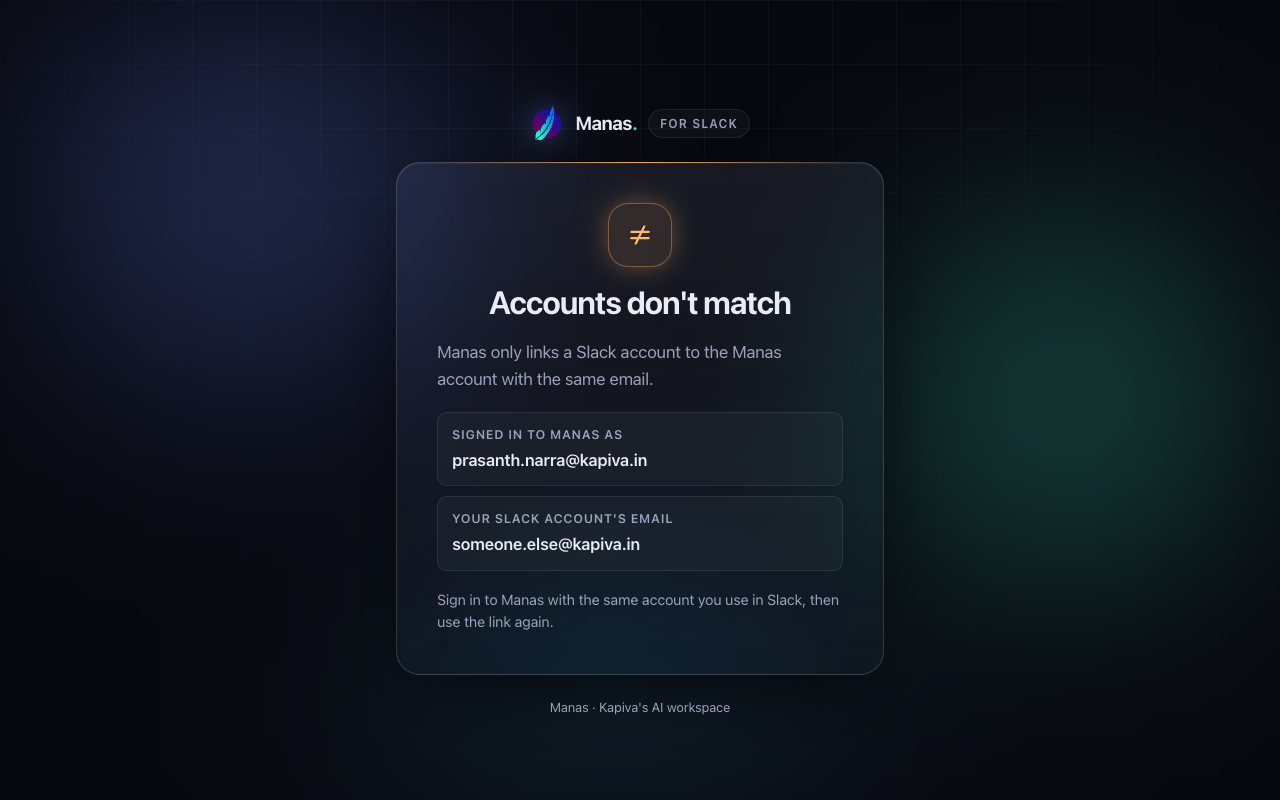
The Connect page when your Manas and Slack emails differ.
The Connect page says "Link expired" or "Link already used"
Links from Manas work for 10 minutes, and only once. Send Manas a new DM to get a fresh Connect Manas card.
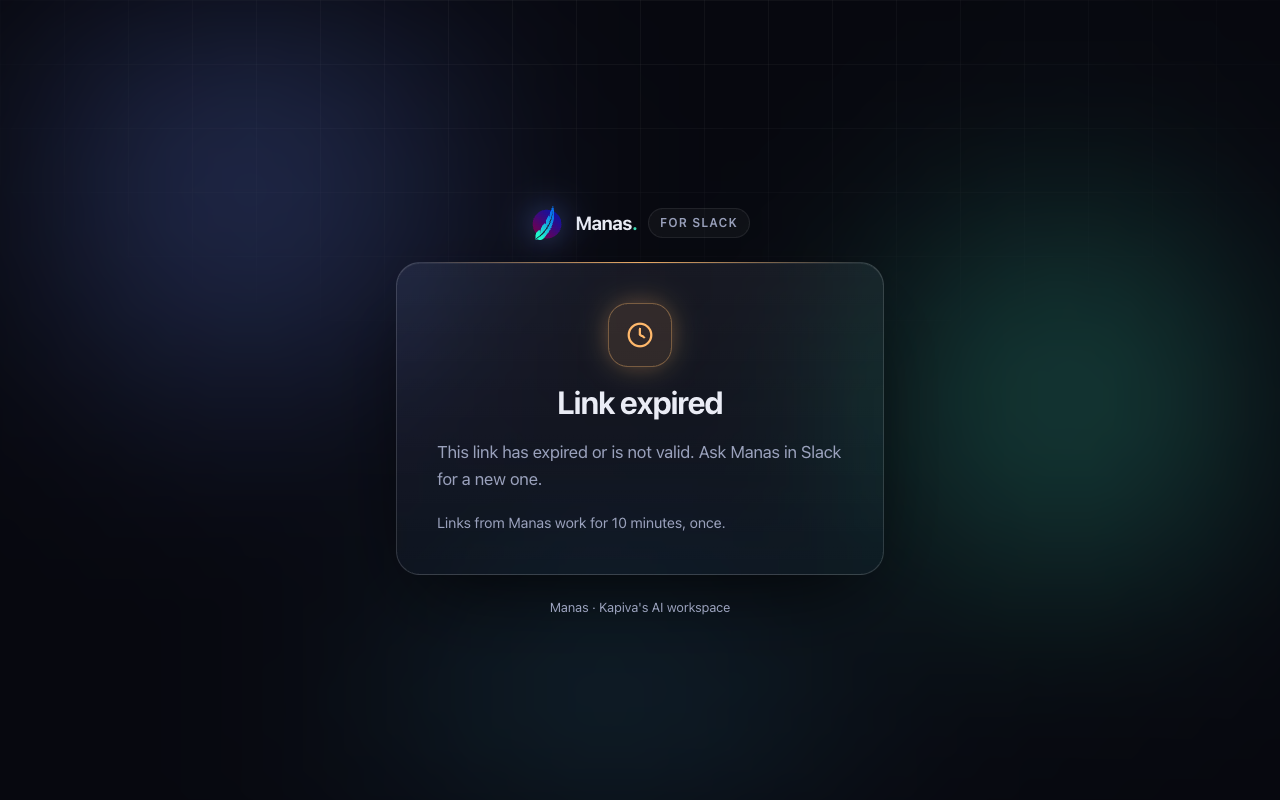
An expired link. Send Manas a new DM for a fresh one.
"Your Manas connection has expired. Connect again to keep using Manas here."
DM Manas and press Connect Manas again.
"You don't have remote access to agent. Ask its owner to share it with Remote access in Manas."
The agent isn't available in Slack for you. Its owner opens the agent in Manas and uses Share → Remote access.
"agent isn't allowed in #channel"
The channel's settings don't include that agent. Pick one of the allowed agents it lists, or add it with /manas settings.
"You've asked 20 times in the last 10 minutes"
Wait for the time it gives, then ask again.
"You've used your share of channel answers today"
DM Manas to keep going on your own allowance. Your share frees up over the next 24 hours.
"You've used today's Manas budget" or "This channel has used today's Manas budget"
The budget refills on its own, and the message says when. If you really need more sooner, ask a Manas admin.
"Manas usage limit reached: …"
You've used your allowance. Wait for it to refill. See Your daily allowance.
"agent couldn't finish… Try again or switch agent."
Try once more, or press Switch agent. For Kala, don't keep retrying: each try counts towards your limit.
"Manas is unavailable right now. Try again in a few minutes."
Manas is being updated or is having a problem. Wait a few minutes.
"Manas works in channels with at least 2 people"
Add a teammate (guests and bots don't count), then ask again.
"I'm still being set up" or "I couldn't set up Manas for #channel"
Setting up takes about a minute; ask again shortly. If it couldn't, ask a Manas admin. Meanwhile, DM Manas or use /manas.
Manas says my scheduled chat is paused
It failed 5 times in a row, you disconnected Manas, or Manas left the channel. Fix what the DM says, then resume it with /manas schedule resume and its number, or from Scheduled chats on the Manas Home tab. See Scheduled chats in Slack.
"One source couldn't be read this time"
A scheduled chat couldn't read one of its Google Drive files on that run, for example because its sharing changed. The owner gets a DM from Manas with Allow for this scheduled chat, Review or Remove the file.
Manas couldn't read a linked Google Drive file
The note says why. Not connected: press Connect Google Drive. Access expired: press Reconnect Google Drive. No access: ask the file's owner to share it with you. Too large (over 10 MB) or not supported: paste the text instead.
For more, see Connect Slack and Manas in Slack.
Still stuck
- Copy the link to the chat (or the Slack thread).
- Note the time and what you were doing.
- Take a screenshot of the message.
- Send all three to the Manas team.