
Share an agent
Share your agent with colleagues, make it available in Slack, and let Manas hand requests to it.
An agent you build is only yours until you share it. There are two kinds of sharing, both under Share on the agent:
| Sharing | What it gives people |
|---|---|
| Share (the normal share) | They can find the agent and chat with it in the Manas web app. |
| Remote access | They can use the agent from Slack, and Manas can hand their requests to it. |
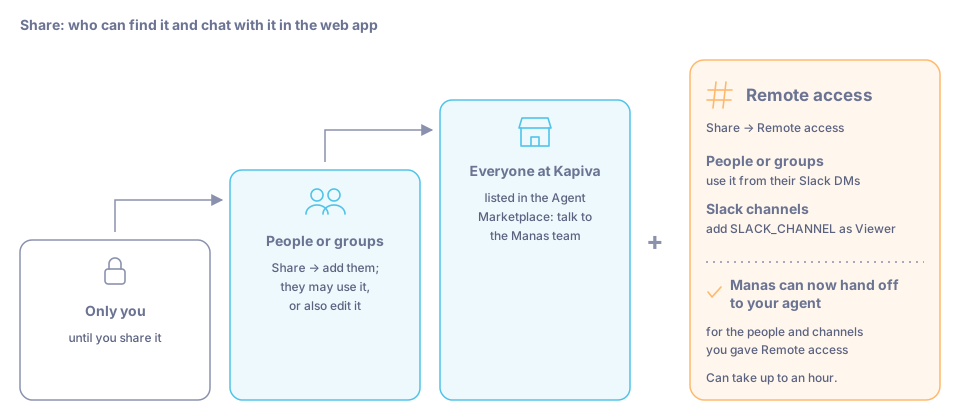
Share widens who can use your agent in the web app. Remote access adds Slack and Manas hand-offs.
Share with colleagues in the web app
Open the agent
Open your agent in Agent Builder.
Open Share
Click Share. Search for the people or groups who need it and add them. Choose whether they may only use the agent or also edit it.
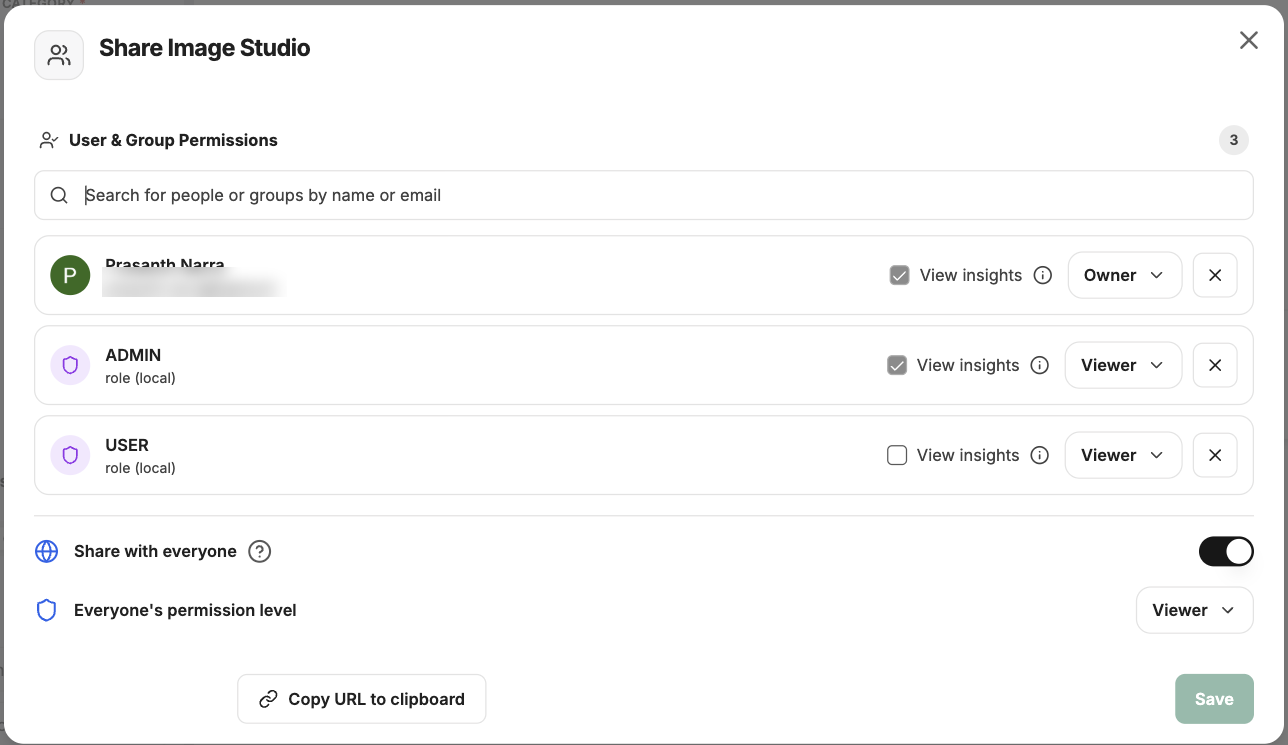
The Share dialog. Add people or groups, then save.
Save
Save. The agent now shows up for them under Select a model → Agents.
Make it available in Slack
To use your agent in Slack, people need Remote access to it.
Open Remote access
Open your agent, click Share and choose Remote access.
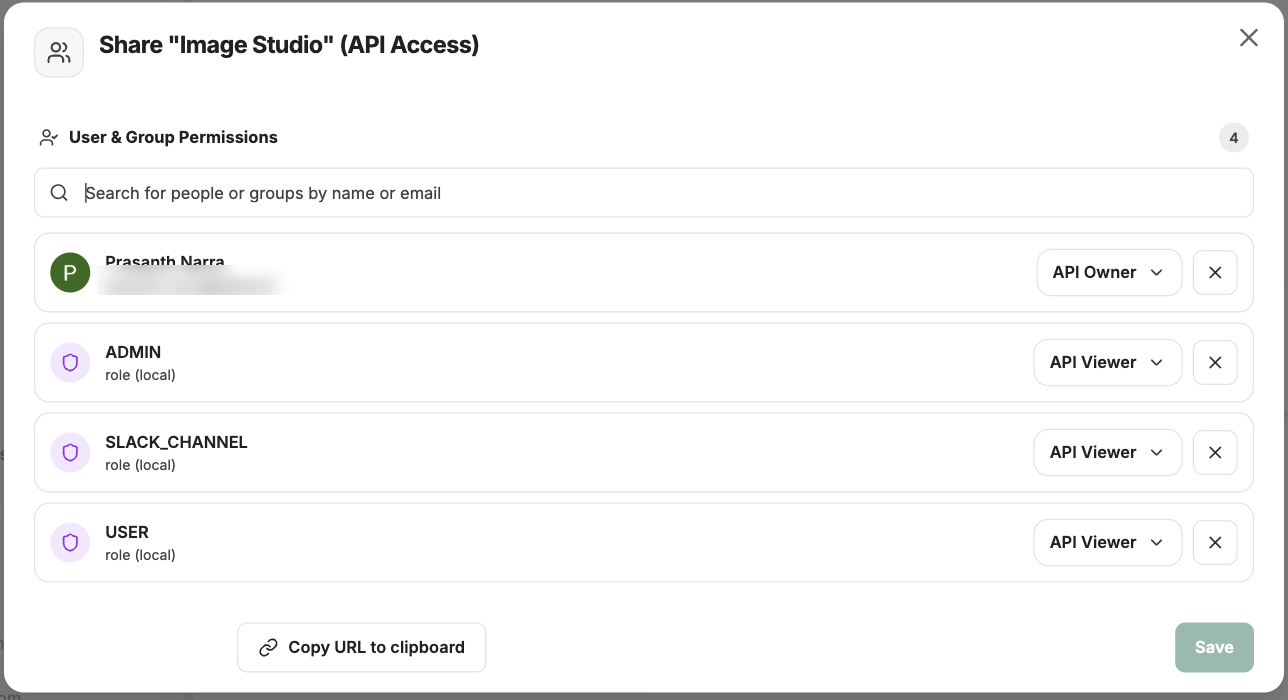
Share → Remote access decides who can use the agent from Slack.
Choose who
- People or groups: add the colleagues who should be able to use it in their Slack DMs with Manas.
- Slack channels: add the role SLACK_CHANNEL as Viewer. This makes the agent available to every Slack channel Manas is in. Each channel still decides in
/manas settingswhich agents it allows.
Save
Save. People with Remote access can now pick it in Slack with +name (the first word of its name), Switch agent or Ask an agent. See Choose an agent in Slack.
Manas can now hand off to your agent
When you give Remote access to anyone besides yourself, Manas learns about your agent. From then on, when one of those people asks Manas for something that matches your agent's description, Manas hands the request to your agent, and your agent answers in the same reply. See How agents hand off.
Only the people (and channels) you shared it with get these hand-offs. For everyone else, Manas carries on as before.
To help Manas hand off at the right moments, write a clear description: what the agent does and the kind of request it is for. Manas uses it to decide.
It can take up to an hour
Manas updates its list of agents to hand off to every hour. A newly shared agent may not be handed to right away.
List it in the Agent Marketplace
People you share your agent with find it in their Agent Marketplace, under its category. To make it available to everyone at Kapiva, talk to the Manas team.
Agents shared with everyone, with Remote access for everyone, are handed to by Manas for everyone.
Good to know
- Only the agent's owner, and people who may edit it, can share it.
- People who use your agent spend their own daily allowance.
- Remote access for Slack channels means the agent runs as the channel, not as a person. It can't use anyone's personal tools there, such as their Google Drive or cloud computer.
- Manas hands off only to agents on a model Manas offers. If you see a message that your agent's model isn't available, pick another model in Agent Builder.
- Manas considers up to 20 shared agents, the most recently updated first.