
Make images
Create pictures, ad creatives and social posts with ChatGPT Images, or let the Image Studio agent do it for you.
Manas makes images with ChatGPT. There are two ways to use it: switch on ChatGPT Images in a ChatGPT chat, or chat with the Image Studio agent, which is set up just for images.
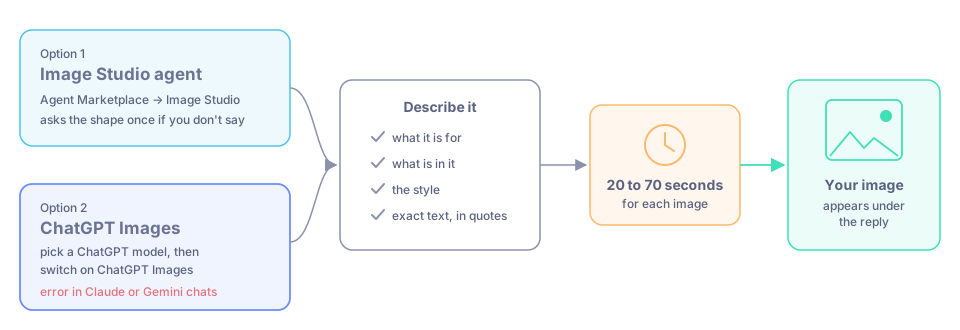
Two ways to make an image, same result.
Option 1: the Image Studio agent
Image Studio is Kapiva's image maker. It makes ad creatives, banners, product shots and social posts.
Click Agent Marketplace in the icon rail and open Image Studio. Or open Select a model → Agents → Image Studio.
Describe what you want. Say what it is for and its shape if you know: "Instagram post (square)", "story (portrait)" or "banner (landscape)". If you don't, Image Studio asks you once.
Wait for the image. Each one takes 20 to 70 seconds and appears under the reply.
For a change, just ask: "Same, but with a green background." It makes a new image with the change.
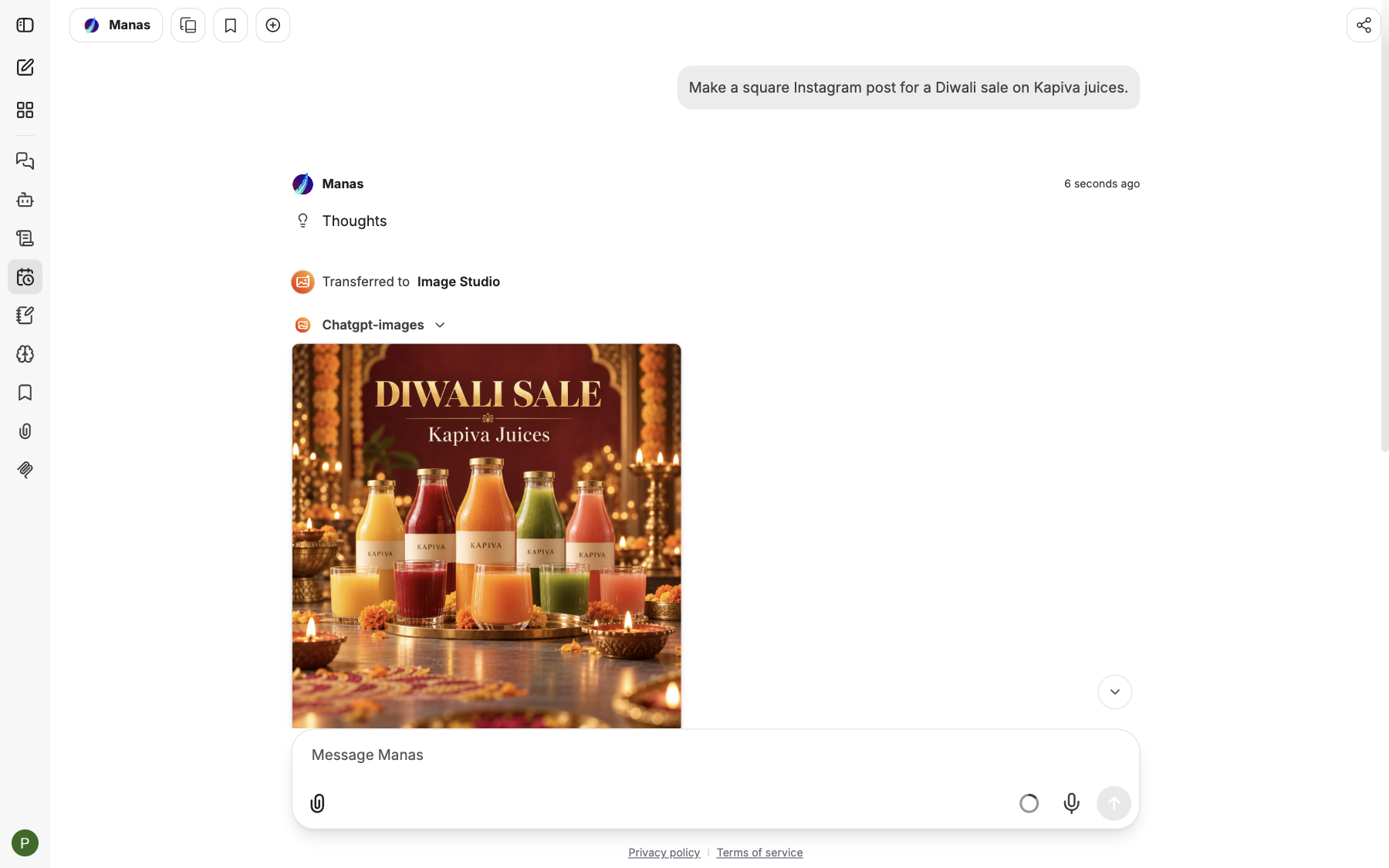
Image Studio answers with the image and a one-line note.
Image Studio never invents facts about Kapiva or its products. It only puts text on an image that you gave it. If you want a claim, an offer or a price on a creative, give it the exact wording.
You can also use Image Studio from Slack. See Choose an agent in Slack.
Option 2: ChatGPT Images in any ChatGPT chat
Pick a ChatGPT model in Select a model.
Open the MCP menu under the message box and switch on ChatGPT Images.
Describe the picture you want. Each image takes 20 to 70 seconds and appears under the reply.
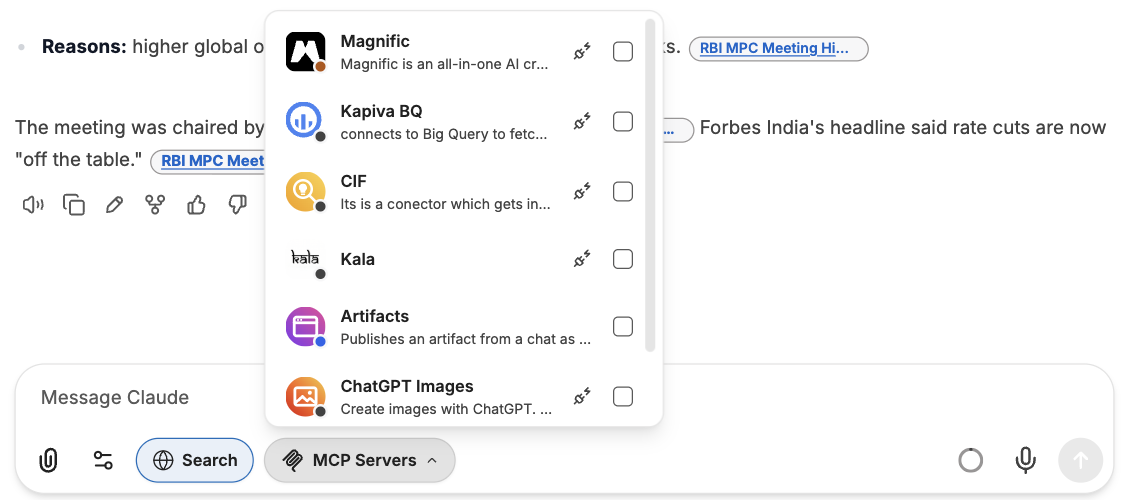
Switch on ChatGPT Images in a ChatGPT chat.
ChatGPT Images works only in ChatGPT chats. In a Claude or Gemini chat it answers with an error instead of a picture.
Write a good image request
- What it is for: Instagram post, story, banner, product shot.
- What is in it: the product, the setting, the people, the mood.
- The style: photo, flat illustration, minimal, bold colours.
- Exact text to put on it, in quotes, kept short.
Good to know
- Each image uses some of your daily allowance: about 165,000 credits for a wide or tall image and about 211,000 for a square one.
- ChatGPT is shared by everyone at Kapiva, and so is its image quota. When it runs out, images stop for everyone until it resets.
- Images are saved with the chat, like any other file.
If something goes wrong
- "ChatGPT Images works only in a chat with the ChatGPT model…" You switched it on in a Claude or Gemini chat. Pick a ChatGPT model and ask again, or use Image Studio.
- "The ChatGPT seat has reached its image generation limit. It resets…" The shared account has made all the images it can for now. Try again after the time it gives.
- A "busy" message. ChatGPT can work on up to 20 things at once for the whole company, and all were in use. Wait about 20 seconds and try again.
Run Code, the cloud computer and your files
Which of the two ways to run code to use, where each one works, and how to get files in and out, with all the size limits in one place.
Artifacts
Get small web pages, dashboards, diagrams and documents in a panel next to the chat, and publish them as a page you can share.