
Tattva, your data analyst
Ask Tattva business questions from Manas on the web or in Slack, and get checked answers with tables, charts and a link back to Tattva.
Tattva is Kapiva's data analyst, at insights.kapiva.tech. It answers business questions about sales, orders, marketing, finance and more, from the data your analytics team has set up. You can ask it from Manas without opening Tattva: in a web chat, in a Slack DM, with /manas, or in a Slack channel.
The answer is Tattva's own checked answer. Manas passes it on word for word and does not redo the sums.
What you can ask today
From Manas, Tattva currently answers questions about D2C revenue, RTO (return to origin) and retention: Kapiva's own website and app. For example "What was D2C revenue last month, by week?" or "How did RTO change in September?"
Ask about anything else, such as marketplaces (Amazon, Flipkart, quick commerce), offline or retail sales, inventory, marketing spend or other metrics, and Tattva doesn't look it up. It says in one line that it answers only D2C revenue, RTO and retention today, and offers to help with one of those.
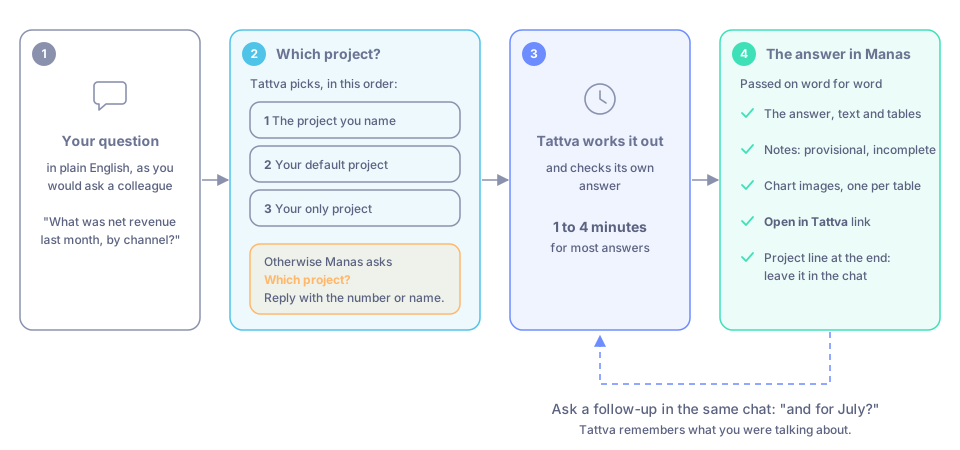
From your question to Tattva's checked answer in your chat.
Before you start
- You need the Member role (or above) in a Tattva project. Viewers can read answers in Tattva but can't ask questions, from Manas or anywhere else.
- Your Manas email must be your Tattva email. Tattva finds you by your @kapiva.in address.
If Manas says your email "isn't a Tattva user" or "You aren't a member of any Tattva project", ask an Owner of the Tattva project to add you in Tattva.
Ask Tattva in Manas on the web
Open Agent Marketplace in the left menu and pick Tattva. You can also open Select a model at the top of a chat, open Agents and choose Tattva.
Ask your question in plain English, as you would ask a colleague. For example: "What was D2C revenue last month, by week?"
Wait for the answer. Most answers take one to four minutes.
Ask a follow-up in the same chat, for example "and for July?". Tattva remembers what you were talking about.
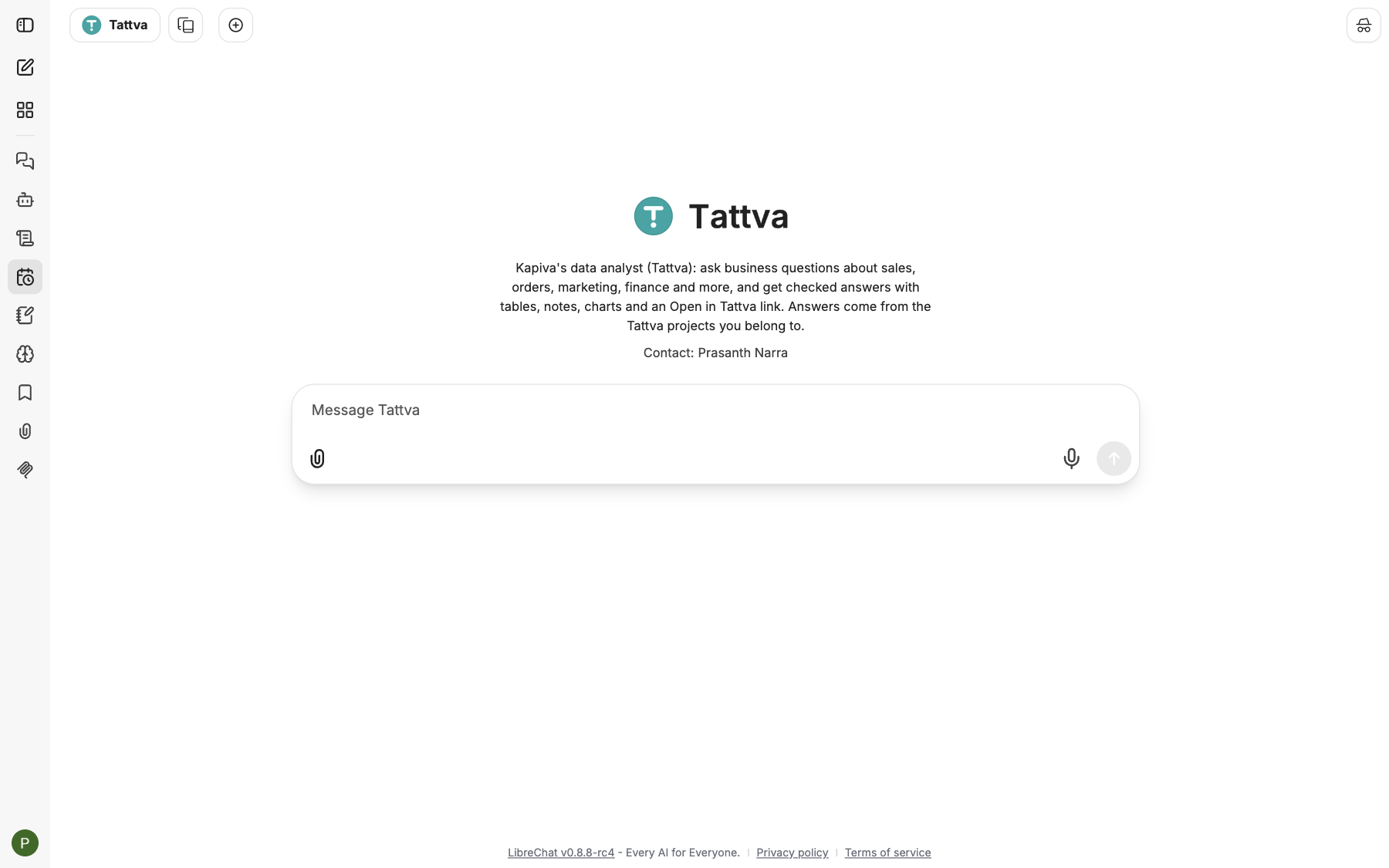
The Tattva agent in Manas. Ask your question in the message box.
You don't have to pick Tattva
If you ask the Manas agent a question about Kapiva's figures (sales, orders, revenue or another metric) and haven't given a file, Manas hands it to Tattva for you. The answer comes back in the same reply, and the footer or label says Tattva answered. See How agents hand off.
Tattva can't read files. A spreadsheet or report you attach goes to Manas (a small file) or to Computer (a big one), even when your question is about Kapiva's numbers.
Other requests go back to Manas
Tattva keeps business and data questions, and dashboards, tables or charts built from its figures. In a chat you started with Tattva, or a Slack thread Tattva answered last, ask it for anything else, such as a picture, a piece of writing, something from your Google Drive or a web lookup, and it hands your request back to Manas at once. Manas answers it or passes it to the right agent, in the same reply.
Dashboards from Tattva's figures
In a chat with Tattva, or a Slack thread Tattva answered, ask "make a dashboard of this" after an answer, and Tattva builds a page from its figures, used exactly as Tattva returned them. You get a link to it as a page you can share. See Artifacts. If you ask for a sample dashboard with made-up numbers, they are clearly labelled as dummy data.
What the answer contains
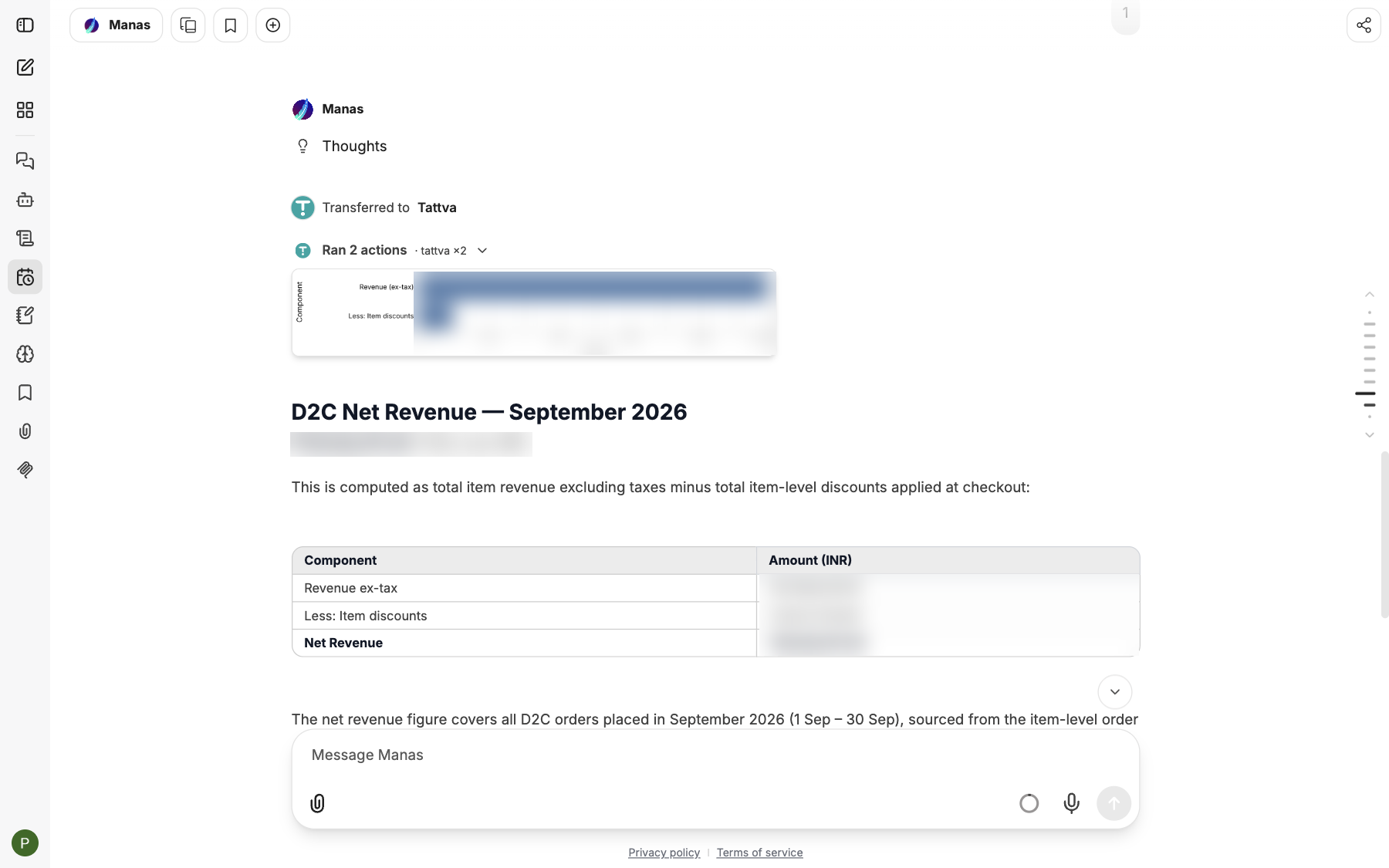
A Tattva answer in Manas (figures blurred): the chart, the answer and its table.
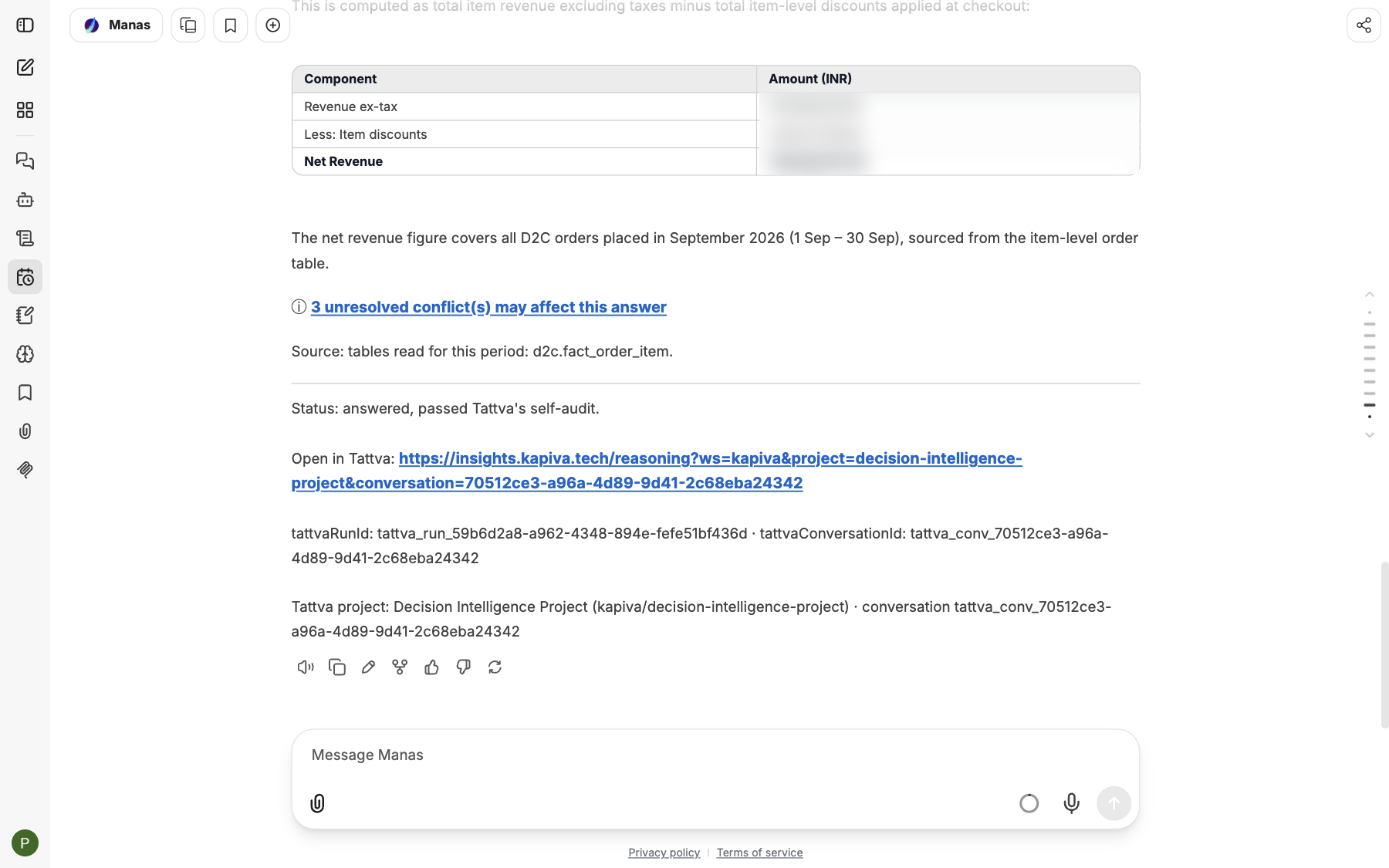
The end of the answer: notes, the source, the self-audit status, Open in Tattva and the project line.
- The answer, with its text and tables exactly as Tattva wrote them.
- Notes that matter, for example when a figure is provisional (recent days haven't settled yet) or incomplete (some data doesn't exist yet). These figures will change.
- Chart images under the answer, one per table.
- Open in Tattva: a link to the same answer in Tattva, where you can see how it was worked out and change the chart.
- A project line at the end, for example
Tattva project: Kapiva Decisions … · conversation tattva_conv_…. It tells Manas where to continue when you ask a follow-up. Leave it in the chat or thread. In Slack, the status, chart links, Open in Tattva and the project line appear as small grey lines under the answer.
Which project your question goes to
Tattva works in projects. It picks the project in this order:
- The project you name, for example "net revenue last month in Kapiva Decisions".
- Your default project. Set it in Tattva under Settings › Profile & memory (Default project for Manas). A Slack channel has its own default project.
- Your only project, if you can ask in just one.
Otherwise Manas replies Which project? with a numbered list. Reply with the number or the name. In Slack each project also gets a button under the answer: pressing it replies with that number for you, in the same thread. To skip this question next time, set a default project in Tattva.
To ask in another project, name it ("and in Ops Sandbox?").
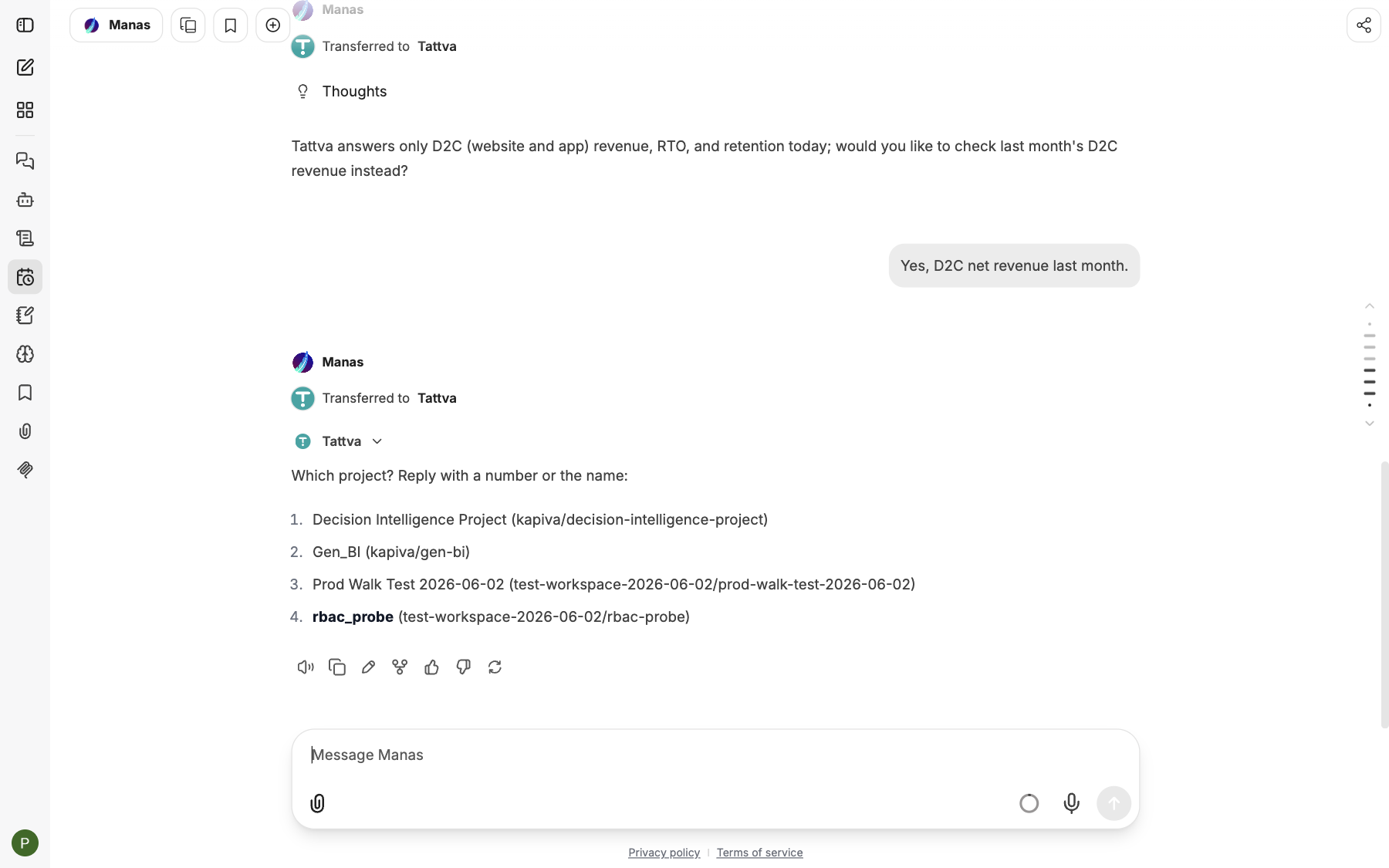
When it can't tell, Tattva asks which project to use. Reply with the number or the name.
When Tattva asks you something back
Some questions can be read more than one way. Tattva then asks a short question with numbered choices instead of answering. Reply in the same chat (or Slack thread) with the number, the choice's name or your own words. Tattva carries on from there. In Slack, when the question ends with "Reply with a number…", each choice also has a button that replies with its number.
In Slack
- In a DM with Manas, or with
/manas: Tattva answers as you, with your projects and your access. Start your message with+tattvato ask it directly, or just ask Manas and it hands the question over. A/manasanswer is only shown to you. - In a channel: when you @mention Manas, Tattva answers as the channel, not as you. A Tattva project Owner or Admin must connect the channel in Tattva first. In a channel, personal data is always hidden and nothing is saved to the project's memory.
If the channel isn't connected, Manas replies: "This channel isn't connected to a Tattva project. A project admin can add it in Tattva (Settings › Workspace › Slack channels), or ask me in a DM."
Asking about a thread
Tattva never sees the Slack thread itself, only the question it is sent. So when you point at the thread, for example "+tattva help with this please" or "can you check this?", Tattva writes one complete data question from the thread (the metric, the period, the products or channels, the comparison) and asks that.
- Its answer starts with Asked Tattva: and the question it sent, so everyone in the thread sees what was answered and can correct it.
- It doesn't ask you to confirm the question first. If the thread doesn't make the question clear, it asks you one short question instead of guessing.
- Follow-ups in the same thread continue in the same Tattva conversation and project.
See Manas in Slack and Choose an agent.
Tell Tattva when an answer is right or wrong
Just say it in the chat, for example "that's wrong, we report net revenue after GST" or "this is right". Manas passes it to Tattva's team. You can also use the 👍 and 👎 buttons under the answer. Your feedback doesn't change the answer by itself: the analytics team reviews it and fixes the definition behind it, so everyone gets the right answer.
Good to know
- Long questions. If an answer isn't ready after about 4½ minutes, Manas gets a reference instead. Ask Manas to check on it later. The answer also appears in Tattva.
- Chart links expire after 7 days. The answer stays in your chat.
- What you can't do from Manas: run raw SQL, review queues, edit definitions, upload sources, or use reports and trackers. Use Tattva itself for those.
- Think before asking about personal data in a place others can see, such as a channel or a
/manasanswer you post. - Asking Tattva uses your Manas daily allowance, like any chat.
If something goes wrong
- "your email isn't a Tattva user" or "You aren't a member of any Tattva project". Ask a Tattva project Owner to add you as a Member.
- "This channel isn't connected to a Tattva project…" Ask a Tattva project admin to add the channel, or ask in a DM with Manas.
- Tattva says it doesn't answer that yet. Your analytics team hasn't switched that topic on. Try one of the questions it suggests, or tell the team you need it.
- "Tattva answers only D2C revenue, RTO and retention today". Your question is about something Tattva doesn't cover yet from Manas. Ask about one of those, or use Tattva itself.
- The answer is taking a long time. Ask Manas to check on it. Don't ask the same question again.
- You can't find Tattva. Look in Agent Marketplace. If it's not there, ask the Manas team.
For everything Tattva itself can do, see Tattva's guide: Use Tattva from Manas.