
Quickstart
Sign in to Manas with your Kapiva Google account and send your first message in two minutes.
Manas is Kapiva's AI workspace. In one place you can chat with Claude, ChatGPT and Gemini, use ready-made agents from the Agent Marketplace, search the web, run code on your data and make images. You don't need a personal subscription to any of them.
Manas lives at manas.kapiva.tech. It also works inside Slack: see Manas in Slack.
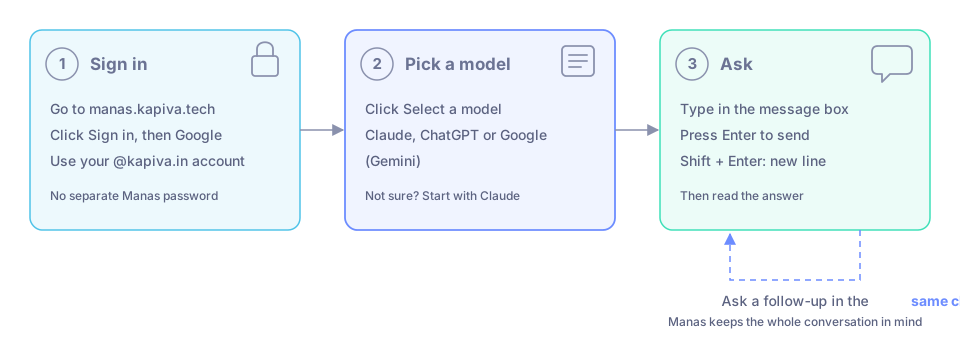
From sign-in to your first answer in three steps.
Sign in
Go to manas.kapiva.tech and click Sign in.
Choose Google and sign in with your @kapiva.in account. There is no separate Manas password.
You land in a new chat. The first time you sign in, your Manas account is created for you.
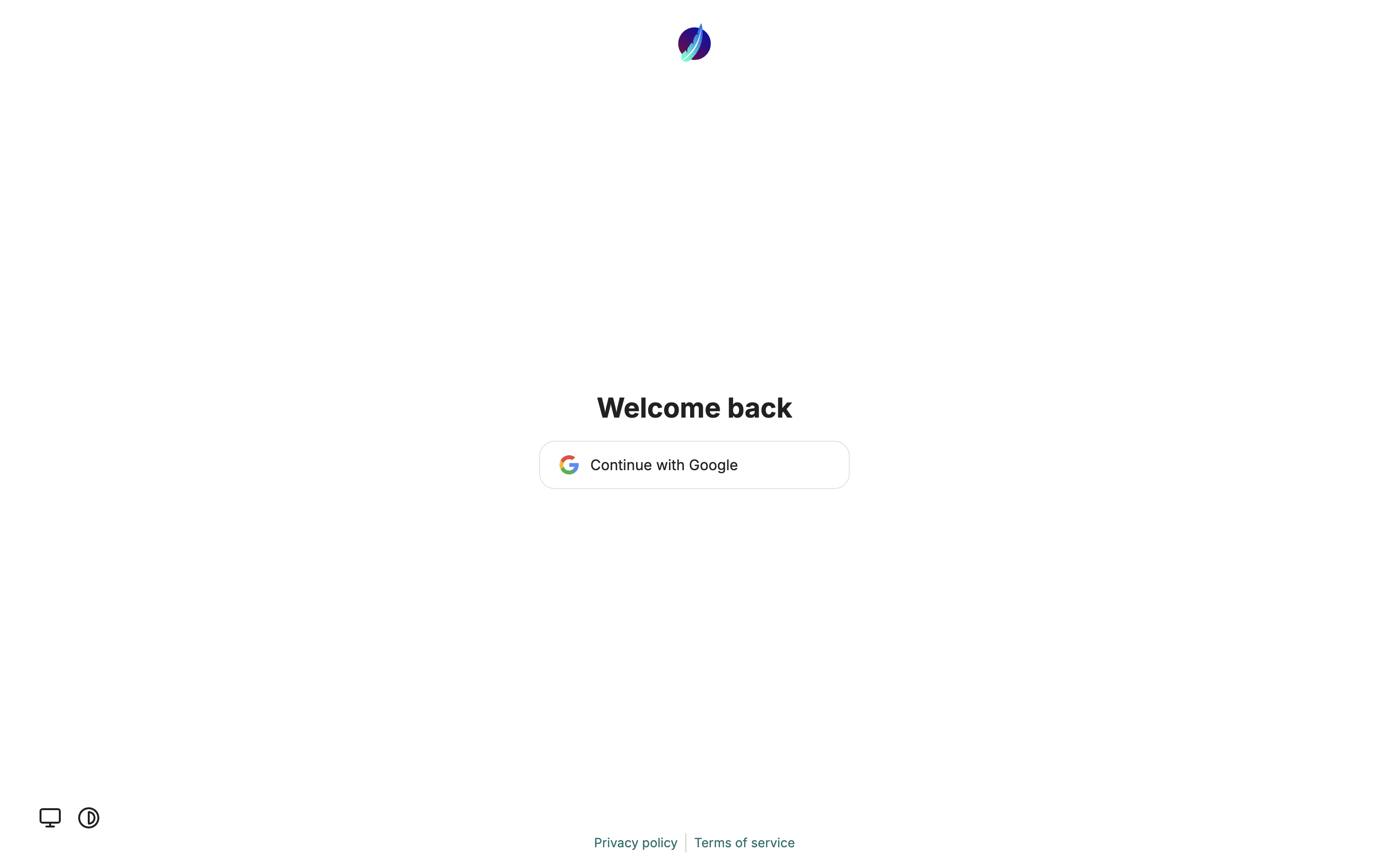
Sign in with Google, using your @kapiva.in account.
Bookmark it
Bookmark manas.kapiva.tech. When you are already signed in, it takes you straight to your chats. A link to a chat opens that chat.
Send your first message
Click Select a model at the top of the chat and pick Claude, ChatGPT or Google (Gemini). Not sure which? Start with Claude, or read Choose a model.
Type your question in the message box at the bottom and press Enter (or click Send message). Shift + Enter adds a new line.
Read the answer. Ask a follow-up in the same chat: Manas keeps the whole conversation in mind.
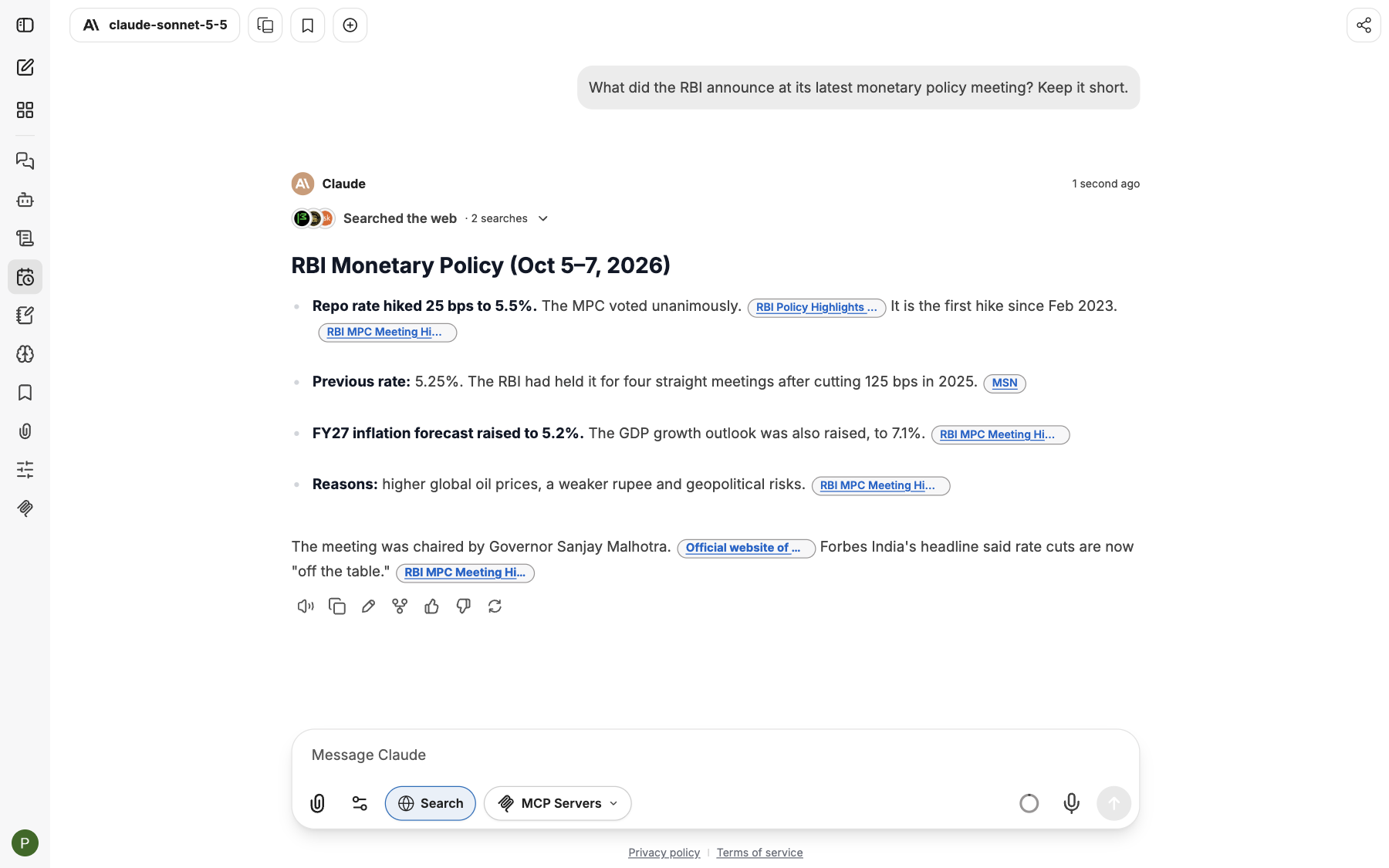
Your first answer. Ask the next question in the same chat.
Some good first things to try:
- "Rewrite this email so it sounds friendlier: …"
- "Summarise this report in five bullet points" (attach the PDF with the paperclip)
- "What changed in India's GST rules this month?" (switch on Web Search first)
Install Manas as an app
You can keep Manas in its own window, with its own icon in your Dock or taskbar, like any other app.
- Chrome or Edge: open manas.kapiva.tech, then click the install icon at the right end of the address bar (or ⋮ → Cast, save and share → Install page as app). Click Install.
- Safari on a Mac: File → Add to Dock.
- Phone: in the browser's share or ⋮ menu, choose Add to Home Screen.
The app is called Manas. If an app you installed earlier still says LibreChat, remove it and install it again.
Good to know
- Everyone has a fair daily allowance. It covers every model, so you can try them all.
- Ask Manas to remember things about you; it saves them once you confirm, and you see or edit everything in Memories. You can turn this off. See Memory.
- Don't paste passwords or other secrets into a chat.
If something goes wrong
- Your Google account is refused. Sign in with your @kapiva.in account. Other accounts cannot sign in.
- "Email login is not allowed." Use the Google button. Manas has no email and password sign-in.
- Manas does not load for a minute. Manas is probably being updated. Wait a minute and reload the page.
Where to go next
Welcome to Manas
Manas is Kapiva's AI workspace. Chat with Claude, Gemini and ChatGPT, hand work to specialist agents, give them a private cloud computer, and use all of it from Slack.
A tour of the screen
Where everything is in Manas: the icon rail, your chat history, the model menu, the message box and your account.