
How agents hand off
Manas passes each request to the agent built for the job, and Image Studio, Tattva and Computer hand anything else back to Manas, all in the same reply.
You don't have to know which agent does what. Ask Manas, and when another agent is better at the job, Manas hands your request to it. That agent does the work and answers you straight away, in the same reply. You never have to copy your question into another chat.
It works the other way too. Image Studio, Tattva and Computer keep only their own kind of work. When a request reaches one of them that isn't its job, it hands the request straight back to Manas, which answers it or passes it to the right agent, still in the same reply. This matters most in Slack, where a thread stays with the agent that answered last.
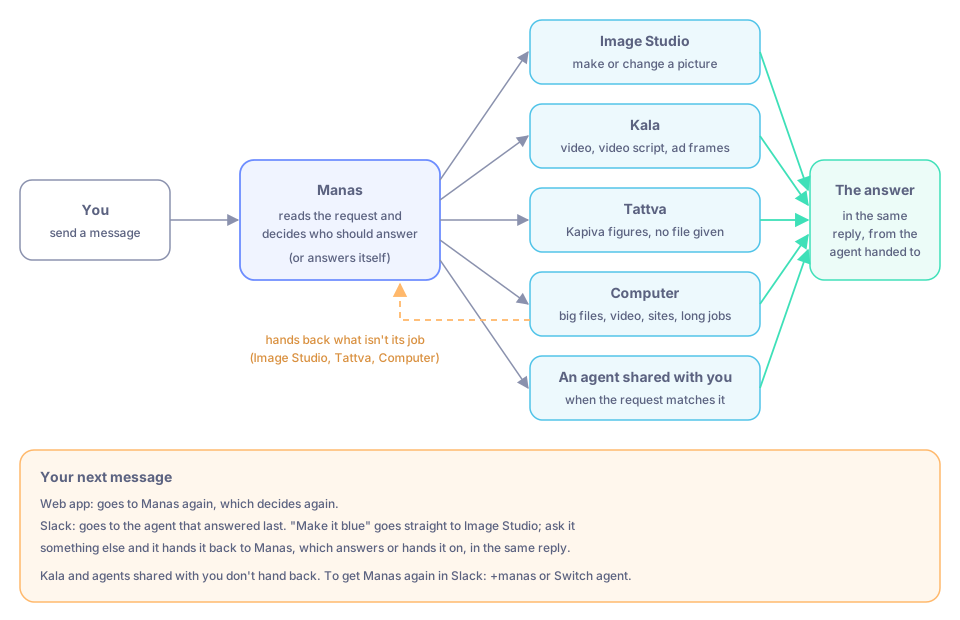
Manas hands off; Image Studio, Tattva and Computer hand back what isn't their job.
Who Manas hands off to
| You ask for | Manas hands off to |
|---|---|
| A picture made or changed: an ad creative, banner, product shot or social post | Image Studio |
| A video, a video script or ad frames | Kala |
| A question about Kapiva's own figures (sales, orders, revenue or another metric) when you haven't given a file | Tattva |
| A big file, editing or converting a video or audio file, a website to open or sign in to, or a long job | Computer (web app and your Slack DM, not channels) |
| Something that matches what an agent shared with you is for | That agent |
Everything else, such as everyday questions, writing, web lookups, small files, diagrams and charts, and questions about Manas itself, Manas answers on its own. A file you give it is never sent to Tattva, even when the question is about Kapiva's numbers: Manas works on a small file itself and hands a big one to Computer. See The Manas agent.
For every kind of request, who answers it and what you see in the web app and in Slack, see The Manas agent: when it answers, hands off and hands back.
What it looks like
Ask Manas
Ask in plain words, for example "Make a square Instagram post for our Diwali sale".
Manas hands off
Manas sees that this is an image job and passes it to Image Studio. In the web app, the reply shows Transferred to Image Studio. In Slack, a step in the answer reads Handed to Image Studio.
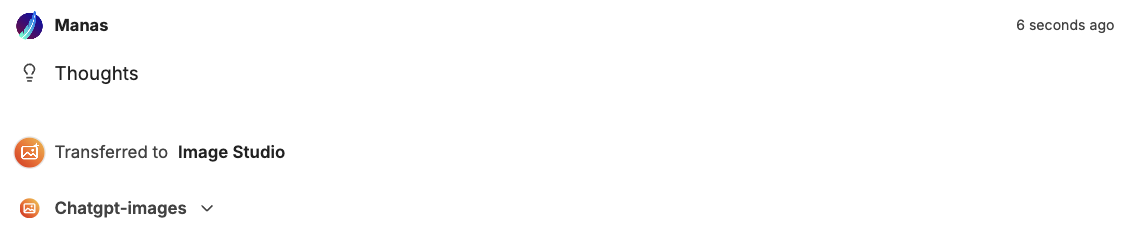
In the web app, Transferred to Image Studio shows that Manas passed your request on.
The agent answers
Image Studio makes the image and replies in the same answer. In Slack, the line under the answer names the agent that actually answered, followed by via and the agent your message went to first, for example Image Studio · via Manas · as you.
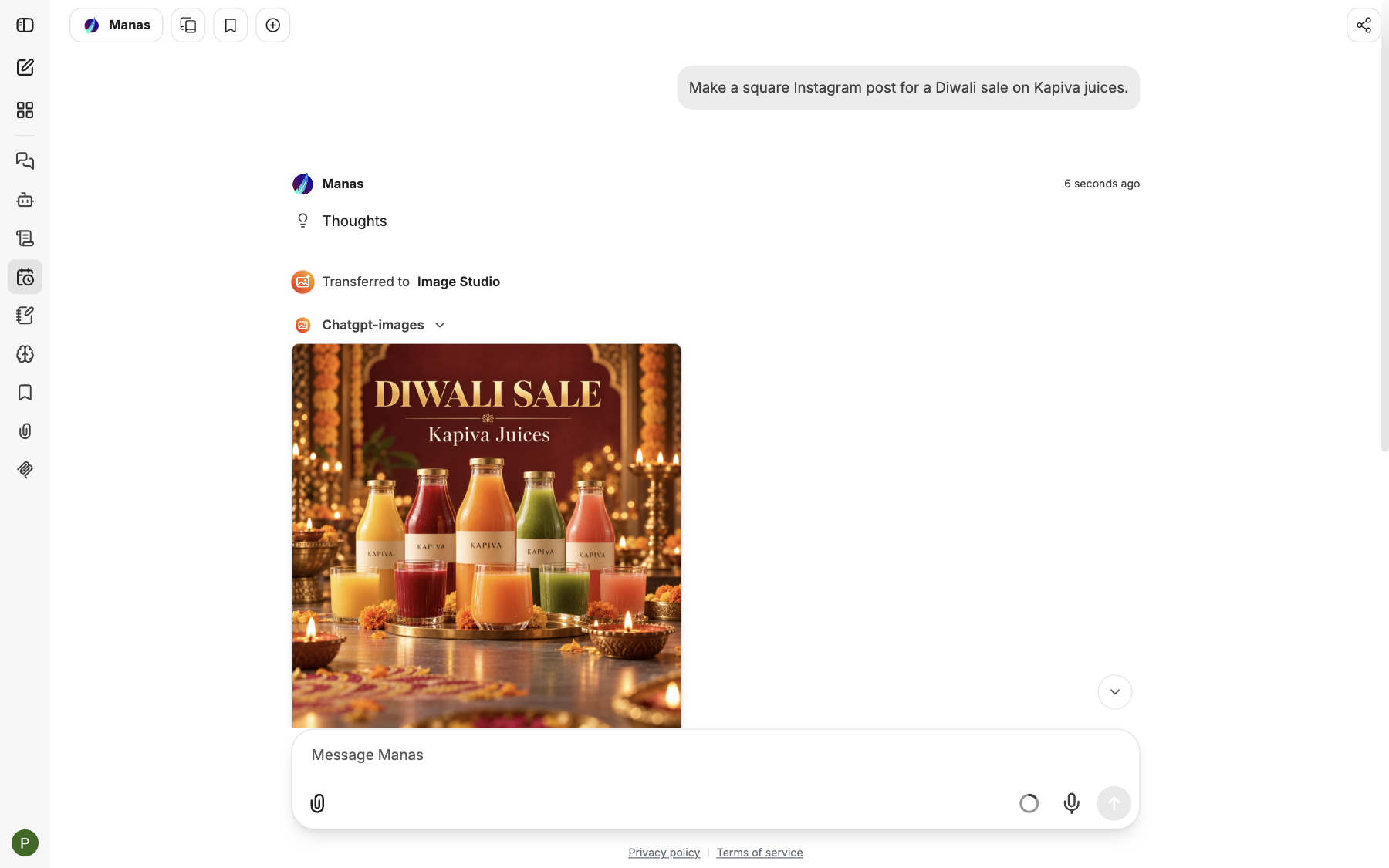
The image arrives in the same reply, made by Image Studio.
In the web app it works the same way when you chat with the Manas agent.
Follow-ups
What happens to your next message depends on where you are.
In a chat with the Manas agent, every new message goes to Manas again, and Manas decides each time:
- A follow-up about the result is handed off again. After an image, "make it blue" goes back to Image Studio.
- A follow-up Manas can answer itself, it answers. After an image, "write three captions for it" is answered by Manas.
- A new kind of request goes to a different agent. In the same chat, "what was D2C revenue last month?" is handed to Tattva, which can ask you which project to use.
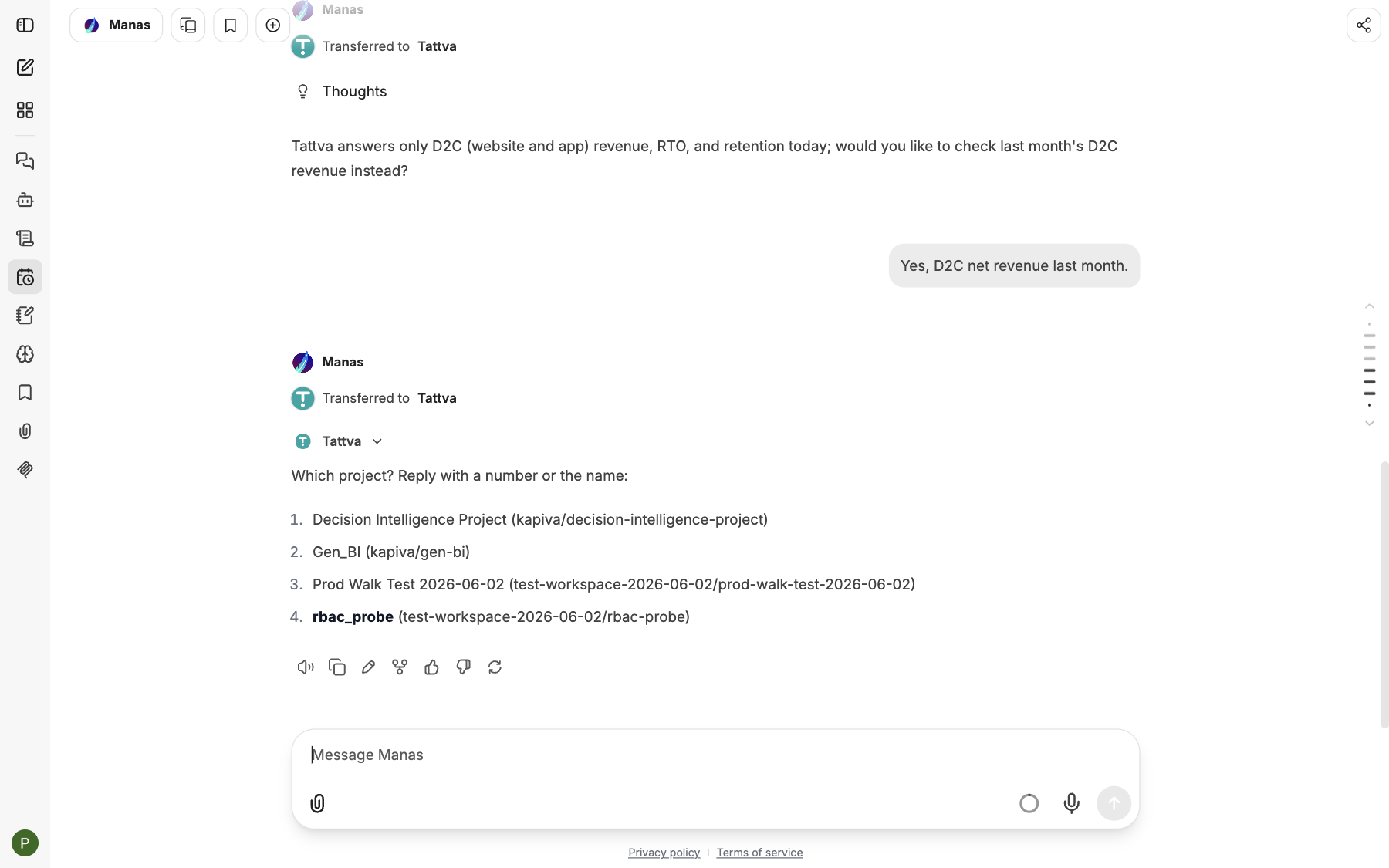
The next message went to Manas again, which handed it to Tattva this time.
After a hand-off, the thread stays with the agent that answered. Your next message goes straight to it:
- A follow-up about the result stays with that agent. After an image, "make it blue" goes straight to Image Studio.
- Something that isn't that agent's job is handed back. After an image, "what was D2C revenue last month?" goes to Image Studio, which hands it back to Manas at once, and Manas hands it to Tattva. You get Tattva's answer in the same reply.
- Something Manas does itself comes back to Manas. After a Tattva answer, "write three captions for it" is handed back to Manas, which writes them.
A hand-back shows as a step Handed to Manas, then the next hand-off if there is one. The footer names the agent that answered, via the agent your message reached first, for example Tattva · via Image Studio · as you.
Hand-backs to Manas
Image Studio, Tattva and Computer hand back to Manas whenever a request reaches them that isn't their job: in a Slack thread they answered last, or in a chat you started with them yourself. They hand back without answering first, and never tell you to go to another agent or the Agent Marketplace: Manas passes the request on for you.
In the web app, a hand-back shows as Transferred to Manas, then the next hand-off, all in the same reply. For example, in a chat you started with Tattva, asking for an Instagram image goes to Manas and on to Image Studio:
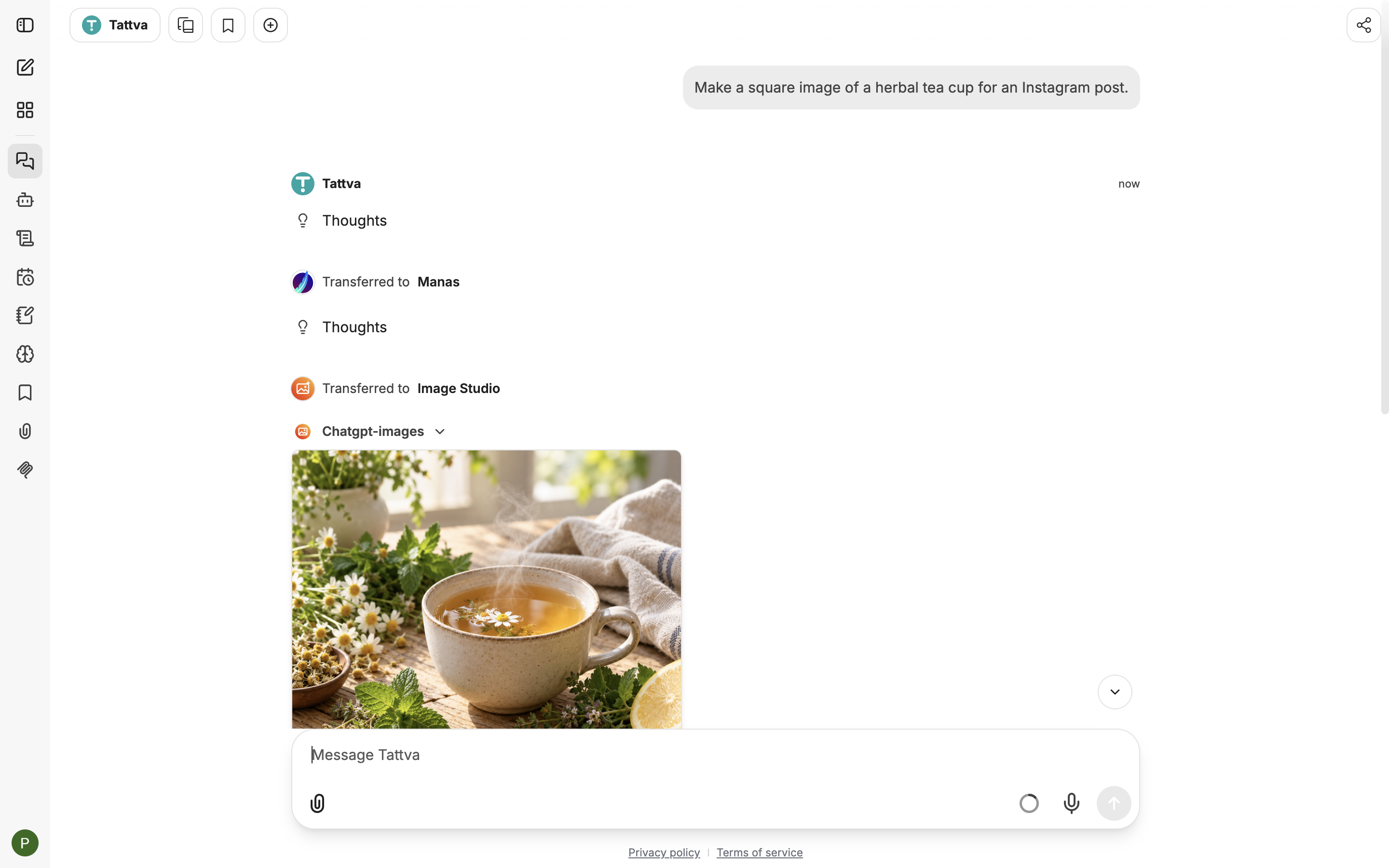
Tattva passes the image request back to Manas, which hands it to Image Studio.
What each agent keeps
| Agent | Keeps | Hands back to Manas |
|---|---|---|
| Image Studio | Making or changing pictures, including a new picture based on a photo you attached | Data questions, dashboards, diagrams, flowcharts and data charts, writing, general questions such as "what can you do?", Google Drive, documents and other files, code, web lookups |
| Tattva | Business and data questions it answers with Tattva, and dashboards, tables or charts built from Tattva's figures | Pictures, illustrations and logos, writing, general questions, Google Drive, files you attached (Tattva can't read them), code, web lookups |
| Computer | Websites and signing in; files on your computer or that you give it (reading, summarising, analysing, converting, for example a big Excel or CSV, a PDF, video or audio); commands and long jobs; copying files to and from Google Drive | Pictures, illustrations and logos, writing that isn't about a file it is working on, general questions, questions about Kapiva figures when you give no file (Tattva answers those) |
Kala and agents a colleague shares with you don't hand back. Once a Slack thread is with one of them, or you started a web chat with one, it answers every message itself until you bring Manas back (see below).
Picking an agent yourself
You can always choose the agent yourself. Every message then goes straight to the agent you chose. If you chose Image Studio, Tattva or Computer, they still hand back what isn't their job. Kala and other agents answer everything themselves.
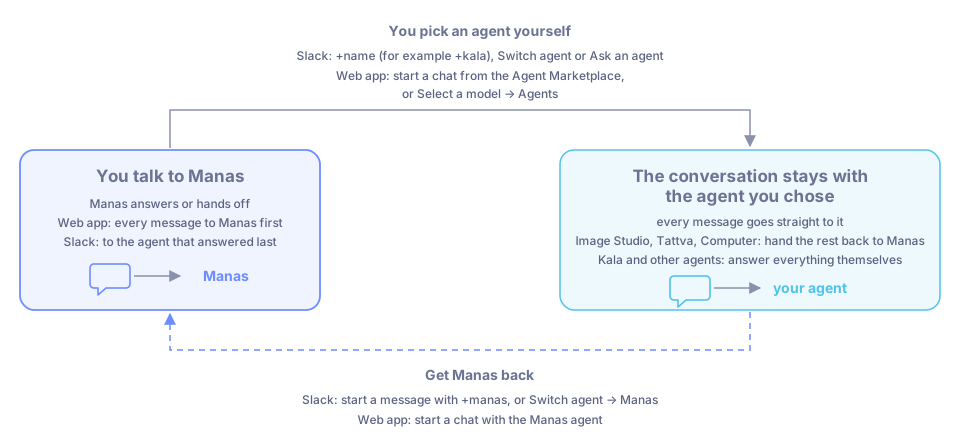
Picking an agent yourself pins the conversation to it. Switch back to Manas when you want it again.
- Start your message with + and the agent's name, for example
+kala make a 20 s video about Ashwagandha Gummies. In a channel, put it right after the mention:@Manas +kala … - Or press Switch agent under an answer.
- Or use the Ask an agent shortcut.
To go back to Manas, start a message with +manas, or press Switch agent and choose Manas.
Start a chat with an agent from the Agent Marketplace, or pick it under Select a model → Agents. That chat goes straight to that agent.
To get Manas again, start a chat with the Manas agent.
You only get hand-offs to agents you can use
Manas only hands off to agents you are allowed to use:
- Agents in the Agent Marketplace, which everyone at Kapiva can use.
- Agents a colleague has shared with you, your team or your Slack channel, so they can be used in Slack. See Share an agent.
If an agent hasn't been shared with you, Manas doesn't hand off to it. It answers normally instead, and nothing breaks. An agent that only its owner uses is never handed to; its owner picks it with +name or from the marketplace.
In a Slack channel, Manas answers as the channel, so it hands off only to agents shared with the channel. Computer is never used in a channel. See Who sees what.
When an agent asks you something
Sometimes the agent needs one detail before it starts. Image Studio may ask what the image is for ("Instagram post (square), story (portrait) or banner (landscape)?"), and Tattva asks which project or what you meant when your question could be read more than one way. Just answer in your next message: in Slack it goes straight to the same agent, and in the web app Manas passes it back to that agent. If you already said, or say "anything", the agent goes ahead.
Good to know
- Each agent works with its own tools. Image Studio makes pictures; Tattva reads Kapiva's checked business figures; Computer works on your cloud computer; Manas searches the web.
- Every agent uses your memory, in Manas web and in your Slack DMs, so a hand-off doesn't lose what Manas knows about you. Only Manas changes it, when you ask and confirm the card.
- Manas, Tattva and Computer can make artifacts, such as a page or a dashboard, and publish them for you.
- A hand-off or hand-back uses your daily allowance like any other answer. See Usage limits.
- When a colleague newly shares an agent, it can take up to an hour before Manas starts handing off to it.
- Not sure who answered? Look at the footer under a Slack answer. It always names the agent that actually answered.