
What are agents?
An agent is an assistant set up for one job, with its own instructions, model and tools.
An agent is an assistant set up for one job. You chat with it the same way you chat with a model, but it already knows what it is for and has the tools it needs.
What an agent is made of
Every agent has three parts:
- Instructions. What the agent is for and how it should answer. Its owner writes them once, so you don't have to explain the job every time.
- A model. The AI behind it: Claude, ChatGPT or Gemini.
- Tools. What it can do besides writing, such as searching the web, running code, making images, reading your Google Drive or using a cloud computer.
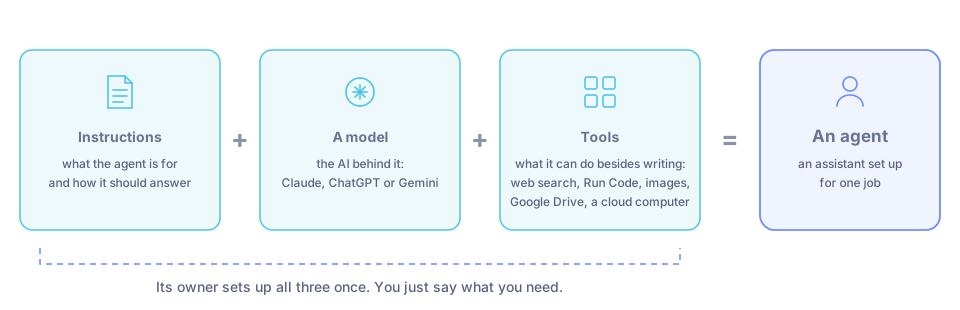
Instructions + a model + tools = an agent. The owner sets them up once.
How it differs from a plain chat
In a plain chat you pick a model from the model menu and switch tools on yourself, for example web search or Run Code. You also explain what you want each time.
In an agent chat, the owner has already chosen the model and the tools and written the instructions. You just say what you need.
| Plain chat | Agent | |
|---|---|---|
| Model | You pick it | Already chosen |
| Tools | You switch them on under the message box | Already set up by the owner |
| Instructions | You explain the job each time | Written once, in the agent |
| Best for | One-off questions | Jobs that come up again and again |
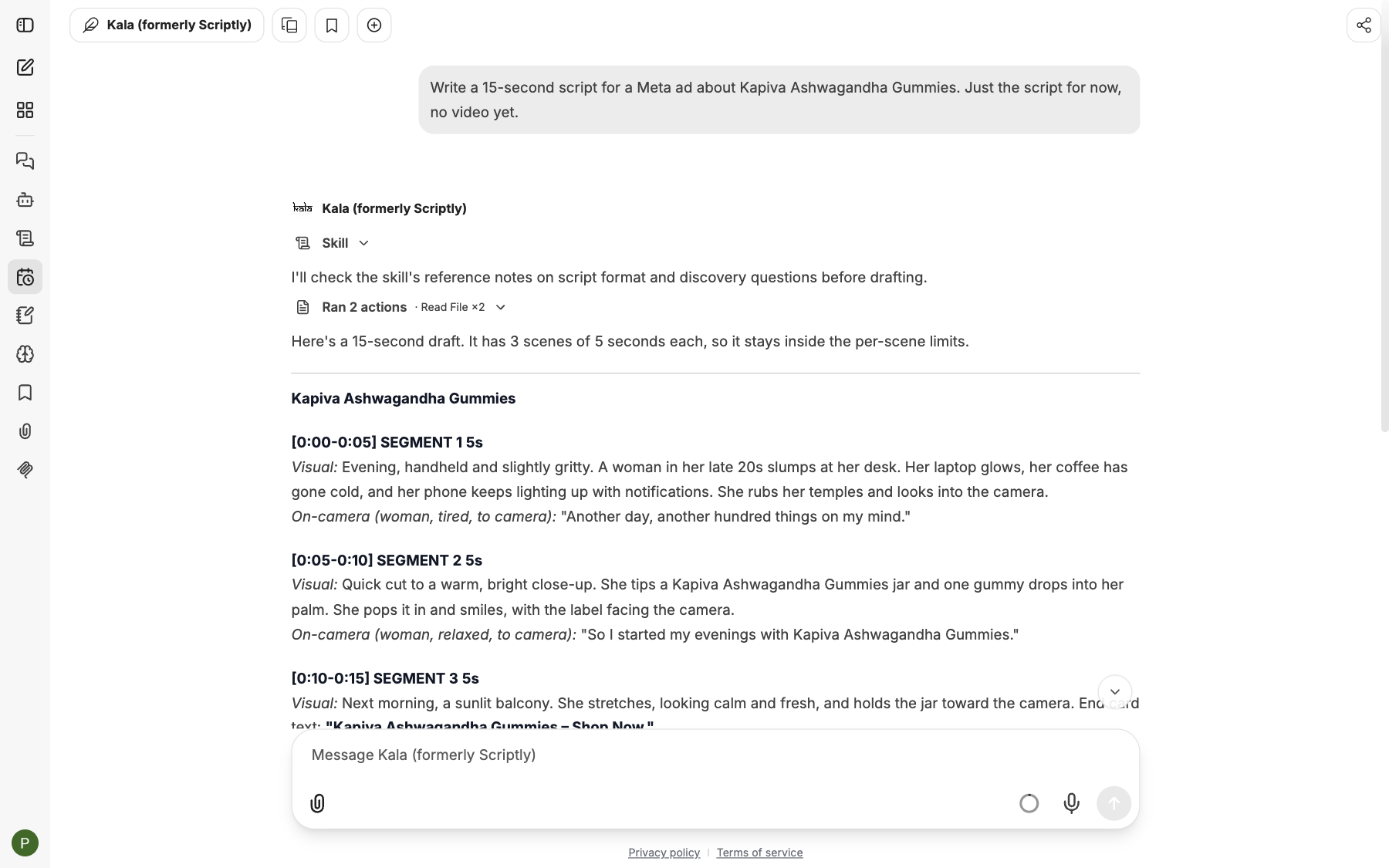
A chat with an agent. You ask in plain words; the agent already knows its job.
Agents that work for you
Some agents do more than answer. They take a request, use their tools step by step, and come back with a result: Kala goes from a brief to a script, frames and a finished video; the Computer agent opens websites and works on files for you on your own cloud computer while you watch.
Agents can also work together. When you talk to Manas, it reads each request and passes it to the agent made for that job, for example Image Studio for a picture. The answer arrives in the same reply. It works the other way too: ask Image Studio, Tattva or Computer for something that isn't their job, and they hand it back to Manas, which answers it or passes it on. See How agents hand off.
The agents you will meet
| Agent | What it does |
|---|---|
| Manas | Kapiva's general assistant. Everyday questions and writing, everything about Manas, and hand-offs to the right agent. |
| Image Studio | Makes images: ad creatives, banners, product shots, social posts. |
| Kala | Turns a brief into a script, frames and a finished video. |
| Tattva | Kapiva's data analyst. Answers questions on D2C revenue, RTO and retention with checked figures and charts. |
| Computer | Uses your own private computer in the cloud: a browser, files and your Google Drive. |
| CIF | Creative ideas from what customers search and say online. |
More about each one: Built-in agents.
You can also build your own agent and share it with your team. See Build your own agent.
Good to know
- You only see agents that have been shared with you.
- Agents use the same daily allowance as normal chats. See Your daily allowance.
- In an agent chat, the web search and Run Code switches are not shown. The agent uses the tools its owner set up.