
Google Drive
Let Manas find, read and create files in your Google Drive, with no cloud computer needed.
The Google Drive connector lets Manas work with your Drive in any chat. Anyone at Kapiva can use it.
With it, Manas can:
- Find files in your Drive by name or by words inside them, in My Drive, files shared with you and shared drives.
- List your recent files, the ones changed most lately.
- Look up a file from its link: its name, type, size, folder and when it changed.
- Read Google Docs, Sheets (any sheet in a file), Slides and text files. Paste a file's link, or let Manas find it.
- Create new Google Docs and Sheets.
It never edits or deletes your files. It only sees files you can open yourself.
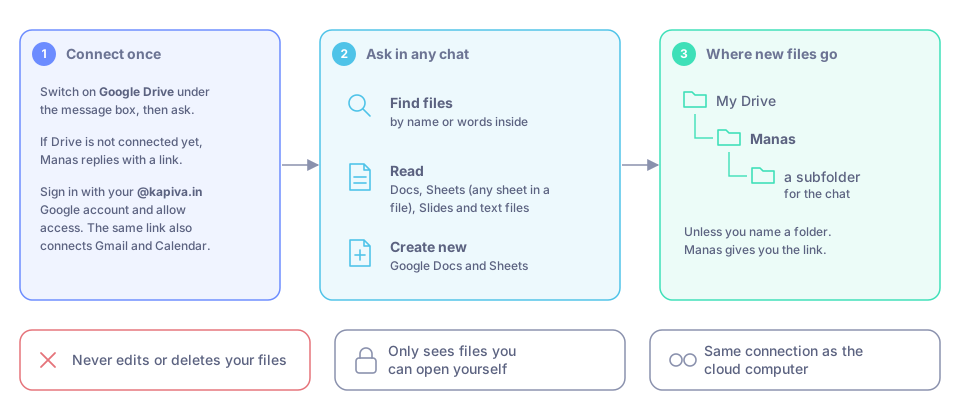
Connect once, then ask. New files land in the Manas folder in your My Drive.
Turn it on and connect
Open the tools list under the message box and tick Google Drive. The Manas agent has Drive already, so with Manas you can skip this.
Ask in the chat: "Find the Q3 plan in my Drive." If Drive is not connected yet, Manas replies with a link to connect.
Open the link. Sign in with your @kapiva.in Google account (the same one you use for Manas) and allow access. Google also asks for read-only access to Gmail and Google Calendar: the same link connects those too.
The page says "Connected: …" with what you allowed, such as "Connected: Gmail, Google Calendar, Google Drive. Go back to your chat." Go back and ask again.
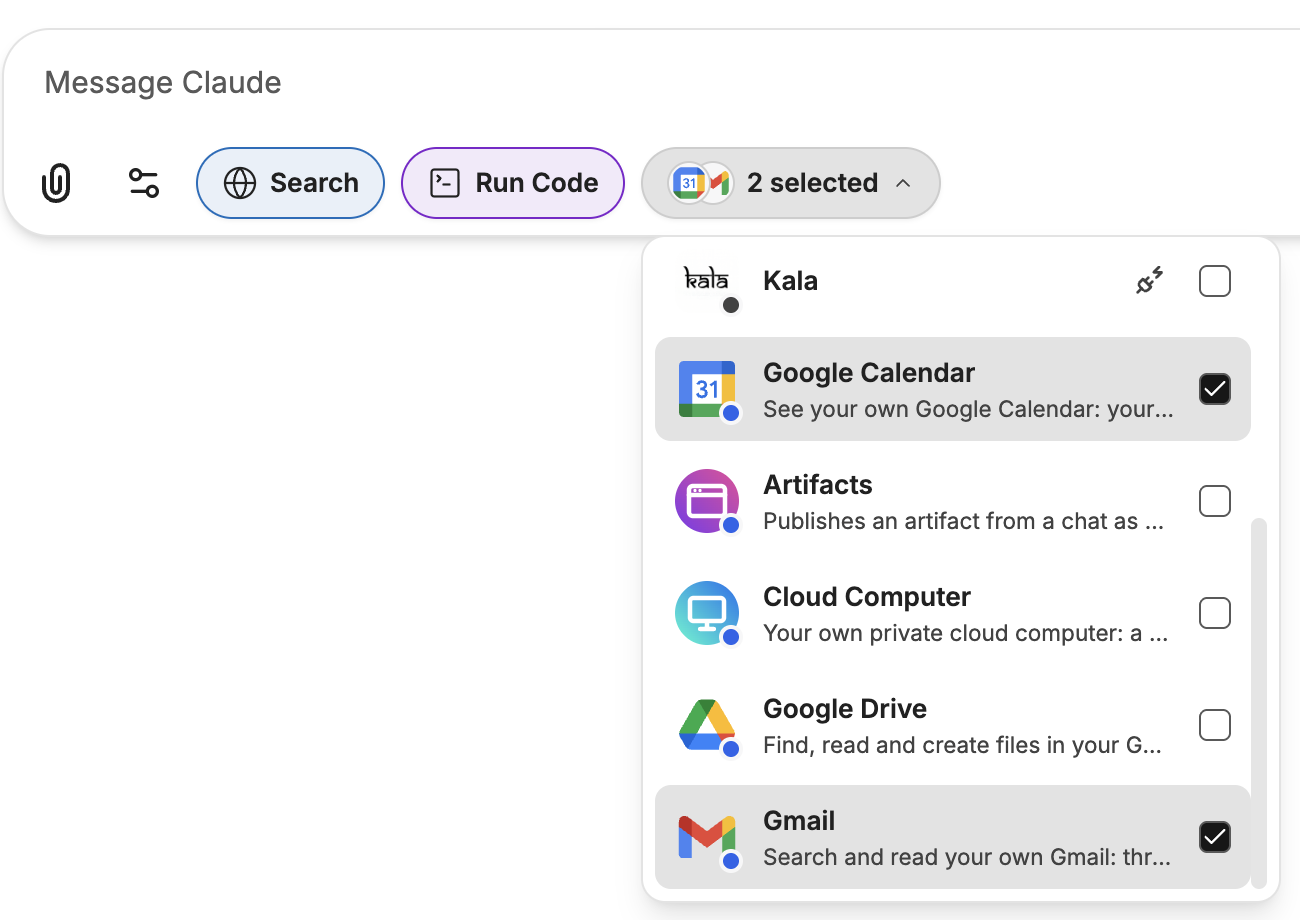
Tick Google Drive in the tools list under the message box.
You do this once. It is the same connection the cloud computer and Gmail and Google Calendar use: connect in one place and you are connected in all of them.
Things to ask
- "Find the Diwali brief in my Drive and summarise it."
- "Which files did I change this week?"
- "Read the 'June' sheet in the sales tracker and list the top 5 SKUs."
- "Make a Google Doc with this plan."
- "Put these results in a new Google Sheet in my Reports folder."
Where new files go
New Docs and Sheets go into a Manas folder in your My Drive, in a subfolder for the chat, unless you name a folder. Manas gives you the link.
Disconnect
In a chat with Google Drive ticked, or with the Manas agent, ask: "disconnect my Google Drive". This removes Manas's access to your whole Google connection: Drive, Gmail and Google Calendar, and the cloud computer's Drive.
In Slack
In your DM with Manas, the Manas agent uses your Drive just like in the web app. In a channel, Manas answers as the channel, so it can't search your Drive there.
Manas in Slack also has its own Connect Google Drive step, so it can read Drive links you paste in a message. It reads as you, read-only. Slack's connect page looks like this:
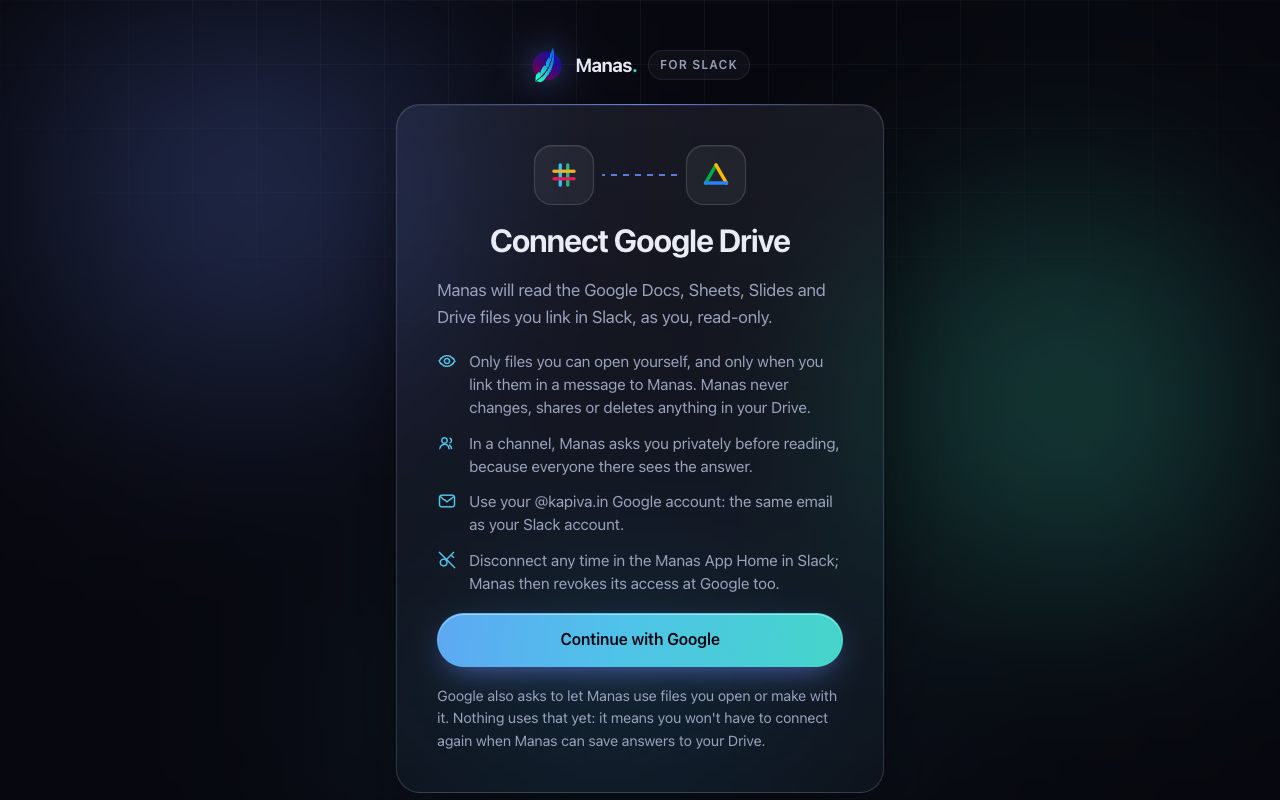
Connecting Google Drive from Slack: press Continue with Google.
See Files and artifacts in Slack.
Good to know
- Use your @kapiva.in account. Any other Google account is refused.
- Your Drive access is kept encrypted by Manas. It is never shown to the AI model.
- Shared drives work too, for files you can open.
- PDFs and Word, Excel or PowerPoint files in Drive can't be read. Download the file and attach it to the chat instead.
If something goes wrong
| You see | Do this |
|---|---|
| "Signed in to Google as … but you use Manas as …" | You picked another Google account. Ask Manas for a new link and choose your @kapiva.in account. |
| "No access was granted." | You unticked everything on Google's screen. Try again and allow access. |
| "Google was not connected. You can close this tab." | You cancelled at Google. Ask Manas for a new link if you want to connect. |
| "This Google link has expired." | Links last 10 minutes. Ask Manas to connect Google Drive for a new link. |
| "Google sign-in failed." | Ask Manas for a new link and try again. |
| Manas says your Drive is not connected, though you connected before | Your access was removed or ran out. Ask Manas for a new link and connect again. |
| Manas says Drive isn't available in channel answers | You asked in a Slack channel. Ask in your DM with Manas or in the web app. |
| Manas can't open a file | You can't open it yourself, or it is a PDF or Office file. Ask its owner to share it, or download it and attach it to the chat. |
In Slack, the connect page has its own messages: