
Memory
What Manas keeps in mind about you, how to have it remember or forget something, and how to see, change or turn it off.
Memory is what you want Manas to keep in mind about you across chats, so you don't have to repeat yourself. Tell it once that you work in the performance marketing team and like answers in bullet points, and it keeps that in mind next time.
Ask Manas to remember or forget something: it prepares the change and you confirm it on a card (in Slack, auto mode may save it straight away when your own message asked for exactly that). Nothing else saves to your memory. You see and edit everything in Memories in Manas web. Manas uses your memory in the web and in your Slack DMs; channels have no memory.
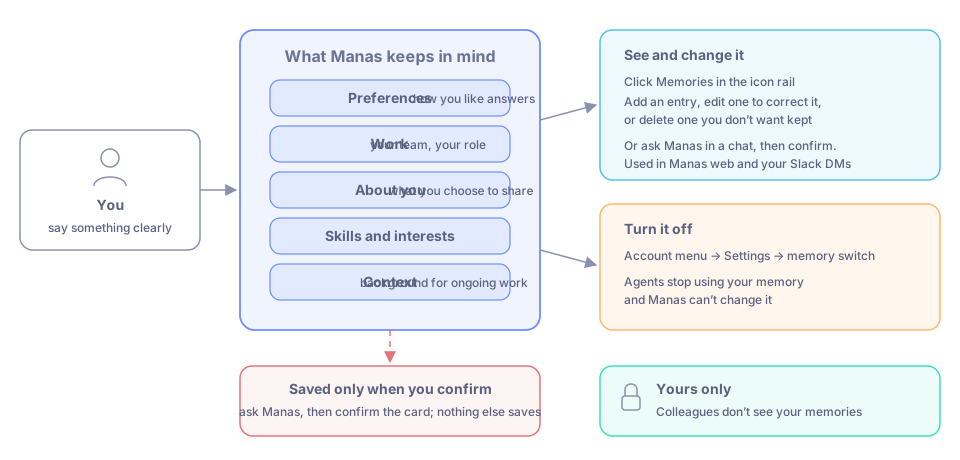
What memory holds, and where you see, change or turn it off.
What to keep in it
Keep short, clear facts that help in most chats, for example:
- Preferences: how you like answers, tone, format.
- Work: your team, your role, what you work on.
- About you: details you choose to share.
- Skills and interests.
- Context: useful background for ongoing work.
Nothing is added on its own: memory holds only what you confirm when Manas asks, and what you write in Memories. Memory has a size limit: when it is full, delete entries you no longer need before you add new ones.
Ask Manas to remember
Only the Manas agent changes your memory, in Manas web and in your Slack DM with Manas. Other agents use your memory but don't change it.
- "Remember that I work in the performance marketing team." Manas prepares the change and shows it to you: in Slack as a card with Confirm in your DM with Manas, in Manas web as a link to a confirm page. It is saved only when you confirm. In Slack, if your Approvals setting is Ask me only when needed, Manas may save it straight away, with Undo, when your own message asked for exactly that fact.
- "Forget that I work on the Ayurveda range." Manas prepares the change and always asks you to confirm, with Forget or Keep.
- "What do you remember about me?" Manas lists what is saved.
Manas never saves something you didn't ask for, such as a detail from an email, a file or an earlier answer.
See and change your memory
Click Memories in the icon rail on the left.
You see everything saved about you.
Add an entry, edit one to correct it, or delete one you don't want kept.
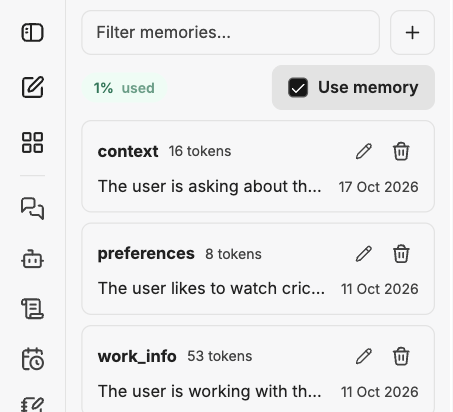
The Memories panel shows what is saved about you.
You can also ask Manas in a chat to change an entry; you confirm the change on a card.
Turn memory off
Open your account menu (your picture at the bottom of the icon rail), then Settings, and switch memory off. Agents then stop using your memory and Manas can't change it, until you switch it on again.
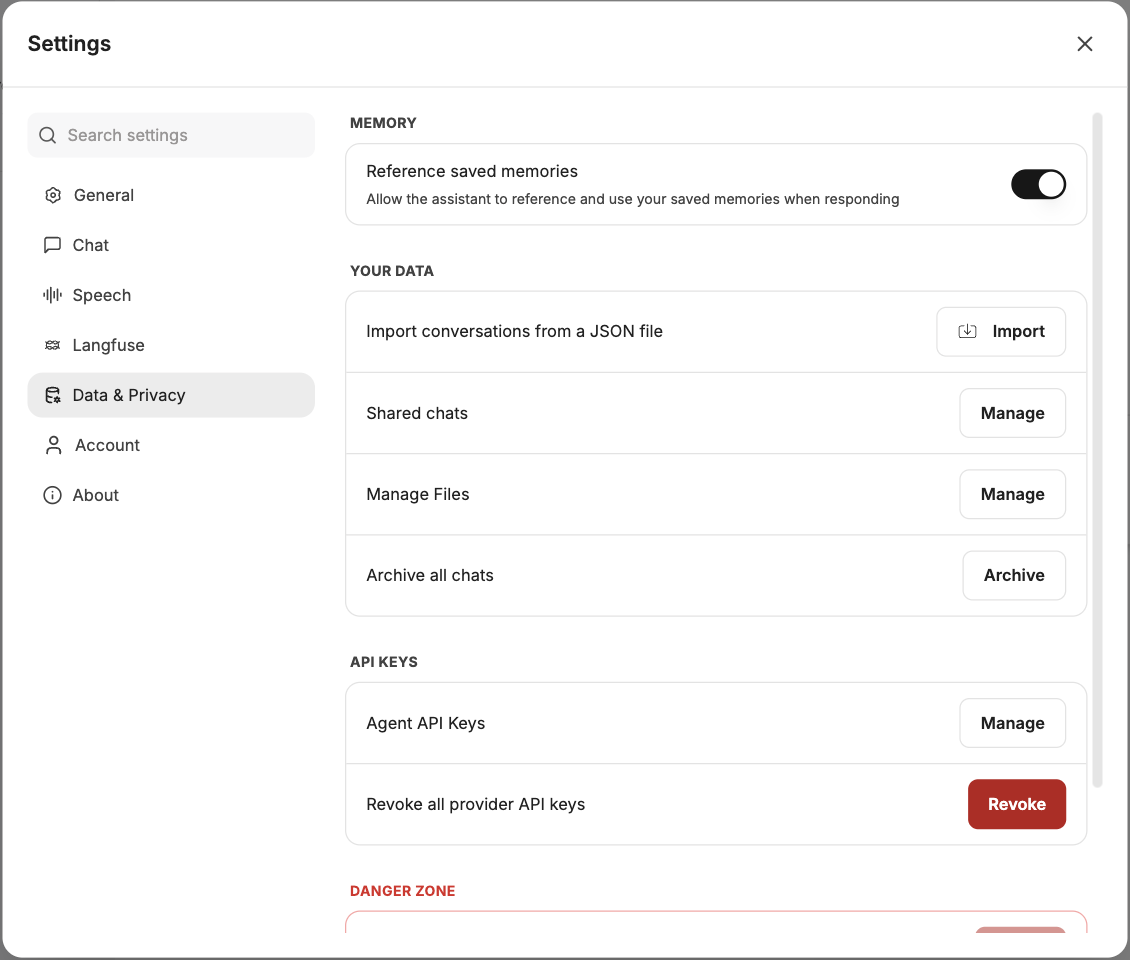
The memory switch in Settings.
A Temporary Chat is another way to keep one conversation out of your history.
Good to know
- Your memories are yours. Colleagues don't see them.
- In Manas web, the agent the chat is with uses your memory, whichever agent that is.
- In your Slack DM, and anything else Manas does as you in Slack, the agent answering uses your memory too. A channel has no memory: answers there never use anyone's memory. See Settings and privacy in Slack.
- Don't put passwords or other secrets in memory. Memory is for useful context, not for secrets.
If something goes wrong
- Manas uses something wrong about you. Ask Manas to correct it and confirm the card, or edit or delete the entry in Memories.
- Manas seems to forget everything. Check that memory is on in Settings, and that the entry is in Memories. In a Slack channel, answers don't use memory.
- Another agent says it can't remember that. Only Manas changes memory. Ask Manas, or add it yourself in Memories.
- You can't add an entry. Your memory may be full. Delete entries you no longer need in Memories, then try again.