
Chatting with Manas
Projects
Group related chats into a project so you can keep work together and find it again.
A project is a folder for chats. Put all the chats about one campaign, client or piece of work in one project, and find them together later.
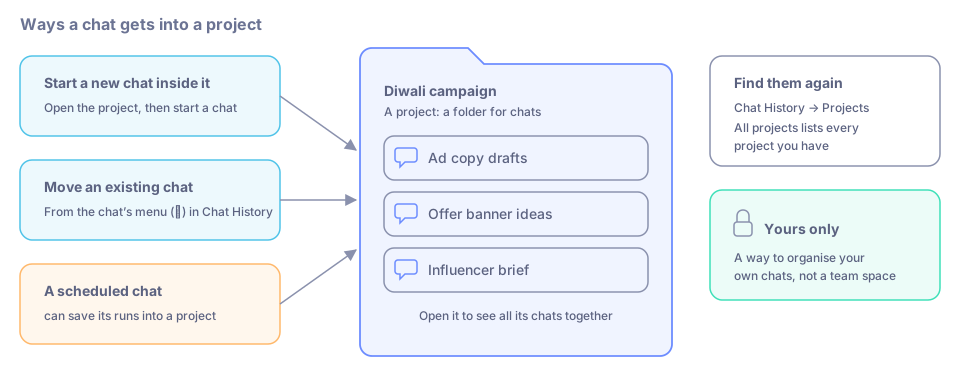
A project is a folder for your chats.
Create a project
Click Chat History in the icon rail.
Under Projects at the top, click New project.
Give it a clear name, such as "Diwali campaign".
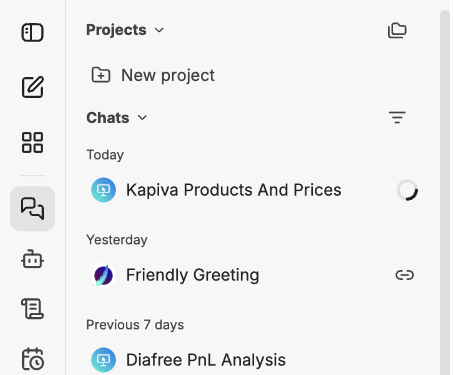
Projects sits at the top of Chat History.
Use a project
- Open a project to see its chats, and start a new chat inside it.
- Move an existing chat into a project from the chat's menu (⋯) in Chat History.
- All projects lists every project you have.
- A scheduled chat can save its runs into a project.
Good to know
- Projects are yours. They are a way to organise your own chats, not a shared team space.
- Bookmarks are another way to label chats. See Your conversations.