
Artifacts
Get small web pages, dashboards, diagrams and documents in a panel next to the chat, and publish them as a page you can share.
An artifact is something Manas makes for you that is more than text: a small web page, an interactive chart or dashboard, a diagram, an SVG picture or a document. Instead of a wall of code, it opens in a panel next to the chat where you can see it working.
The Manas, Tattva and Computer agents make artifacts. Tattva can build a dashboard or table from its own checked figures, used exactly as Tattva returned them; if you ask for a sample dashboard with made-up numbers, they are labelled as dummy data. Image Studio hands diagrams and pages back to Manas.
When to use it
- A flowchart or diagram of a process.
- A small dashboard or chart from numbers you give it.
- A one-page summary, checklist or form you want to look nice.
- A slide-style page to walk someone through an idea.
Make an artifact
Chat with the Manas agent (or Tattva or Computer): artifacts are already on. In a plain chat with a model, switch on Artifacts in the Tools menu next to the message box first.
Ask for what you want, and say it should be a page or diagram: "Make a flowchart of our order-to-delivery process" or "Build a small dashboard page from this table".
The artifact opens in a panel beside the chat. Switch between the preview and its code at the top of the panel.
To change it, just ask: "Add a total row", "Make the bars green". Manas updates the same artifact.
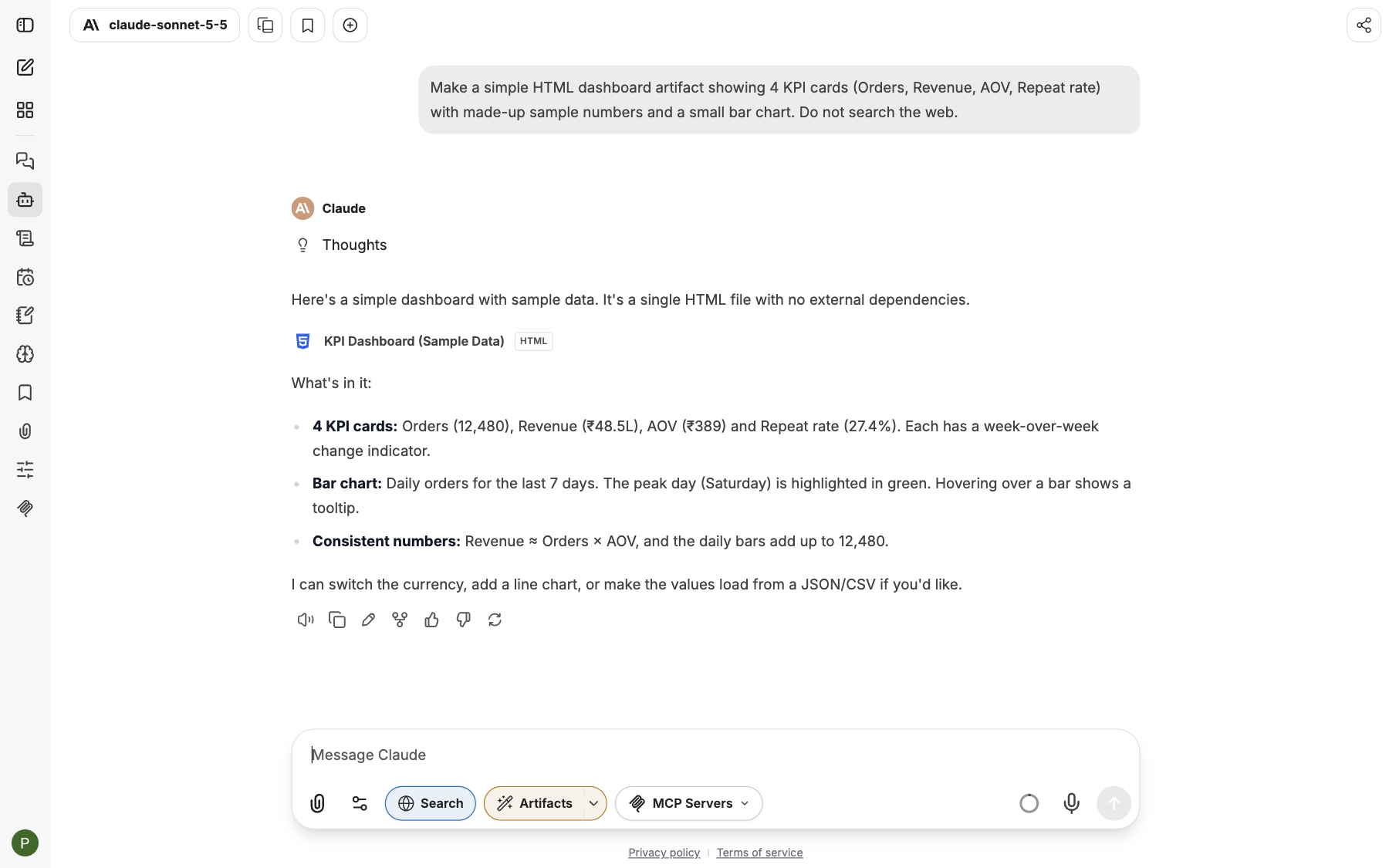
The artifact opens in a panel next to the chat.
Get a link to share
When you chat with the Manas, Tattva or Computer agent, every artifact is also published as a page for you. The answer ends with a line such as Sales snapshot: https://manas.kapiva.tech/artifacts/…. The page opens only for you until you share it, and when you ask for a change, the same link gets the new version.
In a plain chat with a model, ask "publish this as a page" (switch on Artifacts in the MCP menu first). In Slack this always happens automatically.
The page lives on manas.kapiva.tech/artifacts/, can be shared and updated, and can even remember things or use Manas AI. See Live artifacts.
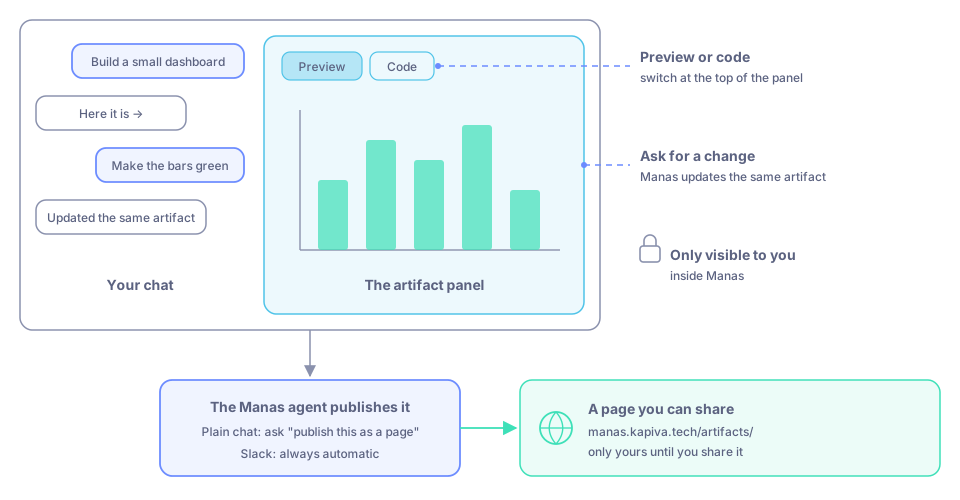
An artifact also becomes a page with its own link, which you can share.
Good to know
- A page can't reach the internet on its own. Give Manas the data in the chat.
If something goes wrong
- The answer is a block of code, not a preview. In a plain chat, switch on Artifacts in the Tools menu and ask again, saying you want it as a page or diagram. Or ask the Manas agent.
- There's no link at the end of the answer. Ask "publish this as a page". In a plain chat, switch on Artifacts in the MCP menu first.
- A published page doesn't open. See Live artifacts.