
Who sees what
Which of your chats, agents, files and answers other people can see, in Manas and in Slack.
Most of what you do in Manas is private to you. Things become visible to others only when you share them, or when you ask in a Slack channel. This page lists each case.
At a glance
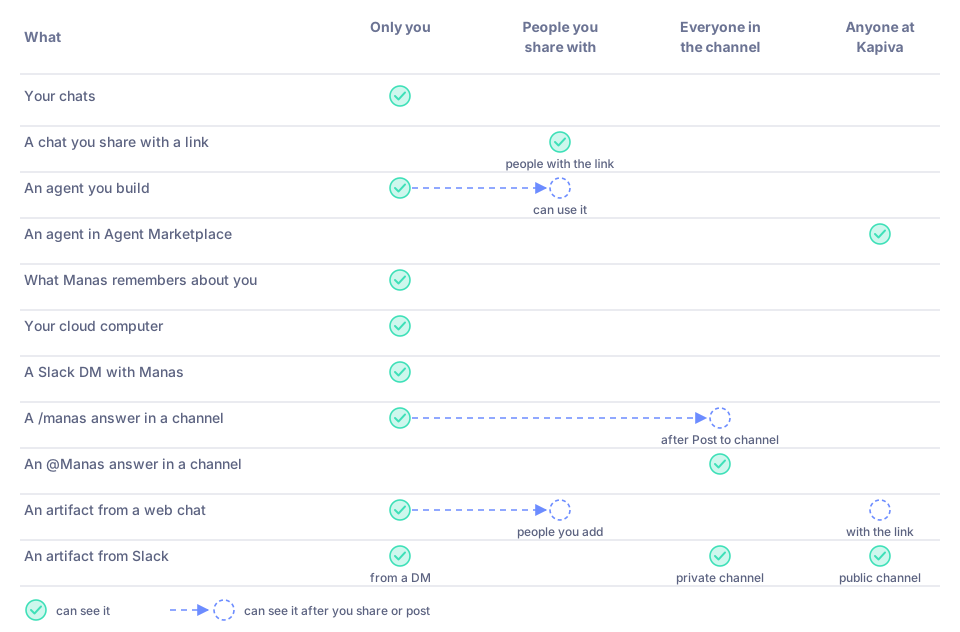
Who can see what. A dashed circle means: after you share or post it.
| What | Who can see it |
|---|---|
| Your chats in Manas | Only you |
| A Temporary Chat | Only you, and it isn't kept in your history |
| A chat you share with Share link to chat | People at Kapiva who have the link and sign in to Manas |
| An agent you build | Only you, until you share it |
| An agent shared with you | You can use it; you can't change it |
| Your memories | Only you |
| Your cloud computer | Only you |
| Your files | Only you, unless you share them |
| Your Google Drive, Gmail and Calendar, through Manas | Only you. Manas reads them only with your own access, and not in a Slack channel answer (except a Drive link you allow) |
| A Slack DM with Manas | Only you |
A /manas answer in a channel | Only you, until you press Post to channel |
| An answer when you @mention Manas in a channel | Everyone in the channel |
| An artifact page | Depends where it came from; see below |
Your chats
Your chats are private. They appear only in your own Chat History. Using someone else's agent doesn't show your chat to the agent's owner.
Temporary Chat (top of a chat) starts a chat that won't appear in your history and is deleted automatically. Use it for one-off questions you don't want to keep.
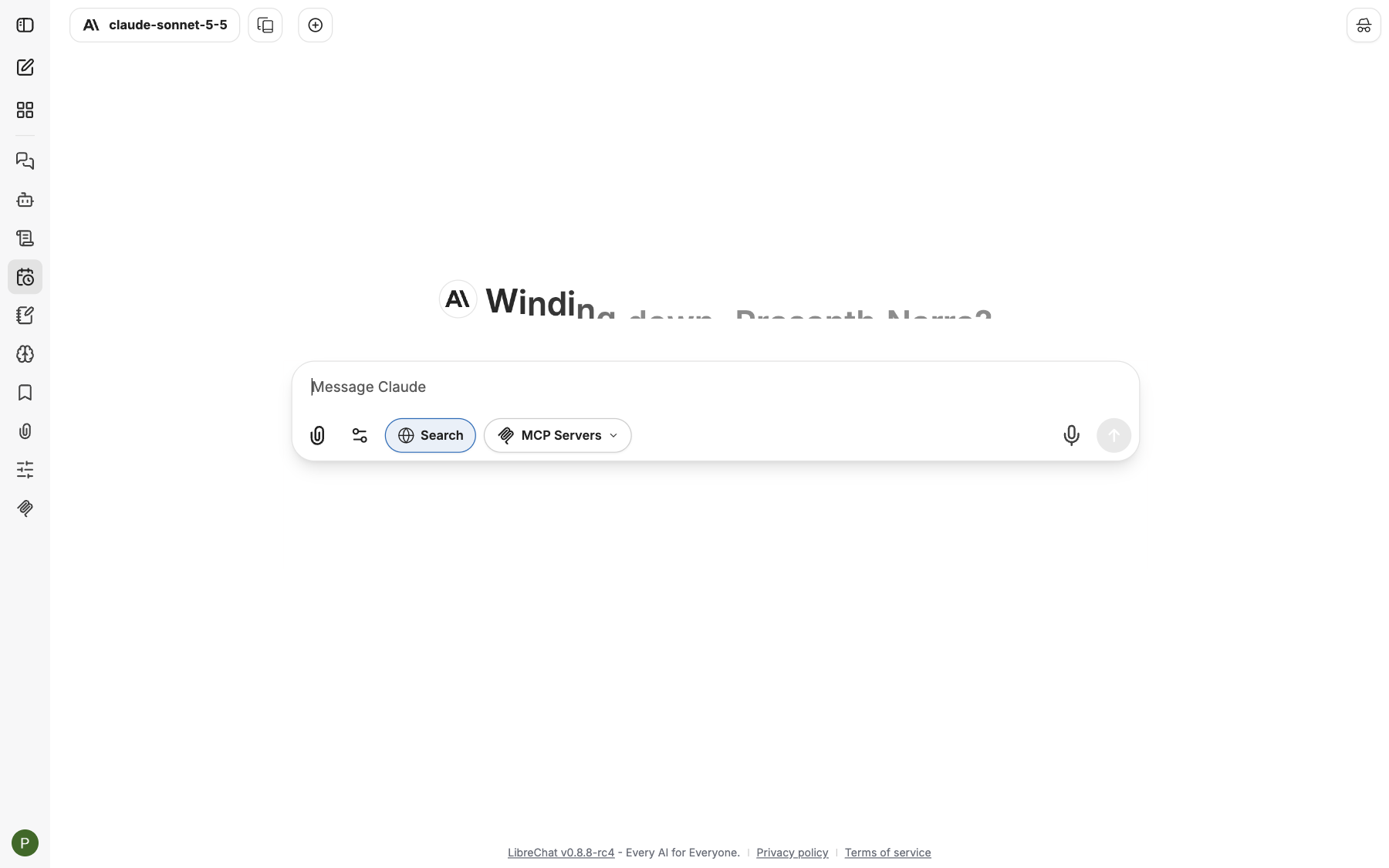
Temporary Chat is on: this chat won't be kept in your history.
Shared links
You can share a chat with Share link to chat. The link shows the chat as it was when you shared it. Your name and any messages you add after sharing stay private.
- People need to sign in to Manas with their @kapiva.in account to open it, so it doesn't work for anyone outside Kapiva.
- A chat with an active shared link shows a link icon in Chat History.
- You can delete a shared link at any time. Your shared links are listed under Shared chats in Settings.
See Conversations.
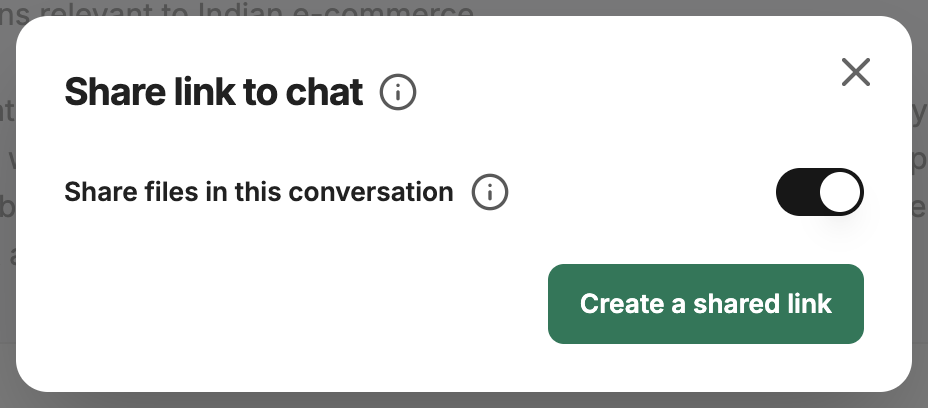
Sharing a chat creates a link. Messages you add later stay private.
Agents
- An agent you build in Agent Builder is yours until you share it.
- When you share it, the people you choose can use it. They can't change its instructions or tools unless you let them.
- Agents in Agent Marketplace are shared with everyone at Kapiva.
- To make an agent usable from Slack, its owner shares it with Remote access.
See Share an agent.
Memory
Your memory is used only in your own chats in Manas web and in your Slack DMs. It is never used in a Slack channel. Only Manas changes it, when you ask and confirm. See Memory.
Your cloud computer
Nobody else, and no other person's agent, can see its screen, its files or the sites you are signed in to. The live view and the ⤢ Open full page link work only for you. See Privacy and pausing.
Your Google Drive, Gmail and Calendar
Manas reads them only for you, with your own access, in the web app and in your Slack DM with Manas. In a Slack channel Manas answers as the channel, so it can't search anyone's Drive or read their mail or calendar there; a Drive link pasted in a channel is read only after you allow it (see Slack below). See Gmail and Google Calendar and Google Drive.
Slack
- In a DM with Manas, only you see the conversation. Manas answers as you.
- With
/manasin a channel, only you see the answer. Press Post to channel to share it. - When you @mention Manas in a channel, the answer goes in a thread that everyone in the channel can see. Manas answers as the channel, not as you, and never uses your private tools or memory.
- Channel settings (
/manas settings) belong to the channel. Every settings change is announced in the channel. - Files Manas makes in a thread can be seen by everyone in that thread. Save to my Drive saves a copy only to the Drive of the person who presses it.
- Google Drive links in a channel: Manas asks you privately before it reads your file, because the answer is visible to the channel. Allow with review shows the answer only to you first.
See Slack settings and privacy.
Artifacts (pages Manas makes)
- From a Manas web chat: when you publish an artifact, the page opens only for you (with your Kapiva Google account) until you share it.
- From Slack: the same people who can see the Slack message can open it. From your DM: only you. From a private channel: its members. From a public channel: anyone at Kapiva.
- Sharing: on the card press ⋯ → Share… (or Share on the page). Add people, or turn on Anyone at Kapiva with the link. Only the person who asked for it can share it, and ⋯ → Remove… takes it down for everyone.
- Live pages and web apps can keep your own data (only you see it) and shared data (everyone who can open the page sees and changes it; a page asks before it saves shared data for you). Removing a page deletes its data.
See Live artifacts and Files and artifacts in Slack.
Good to know
- Before you share a chat or post an answer to a channel, check it for personal or sensitive data.
- Tattva answers asked in a channel hide personal data. See Tattva.
If something goes wrong
- You shared a chat by mistake. Delete its shared link in Settings under Shared chats.
- An artifact page says "No access". It came from a DM or a channel you're not in. Ask the person it names to share it with you.
- A teammate can't open an agent you mentioned. It hasn't been shared with them. Ask its owner to share it.